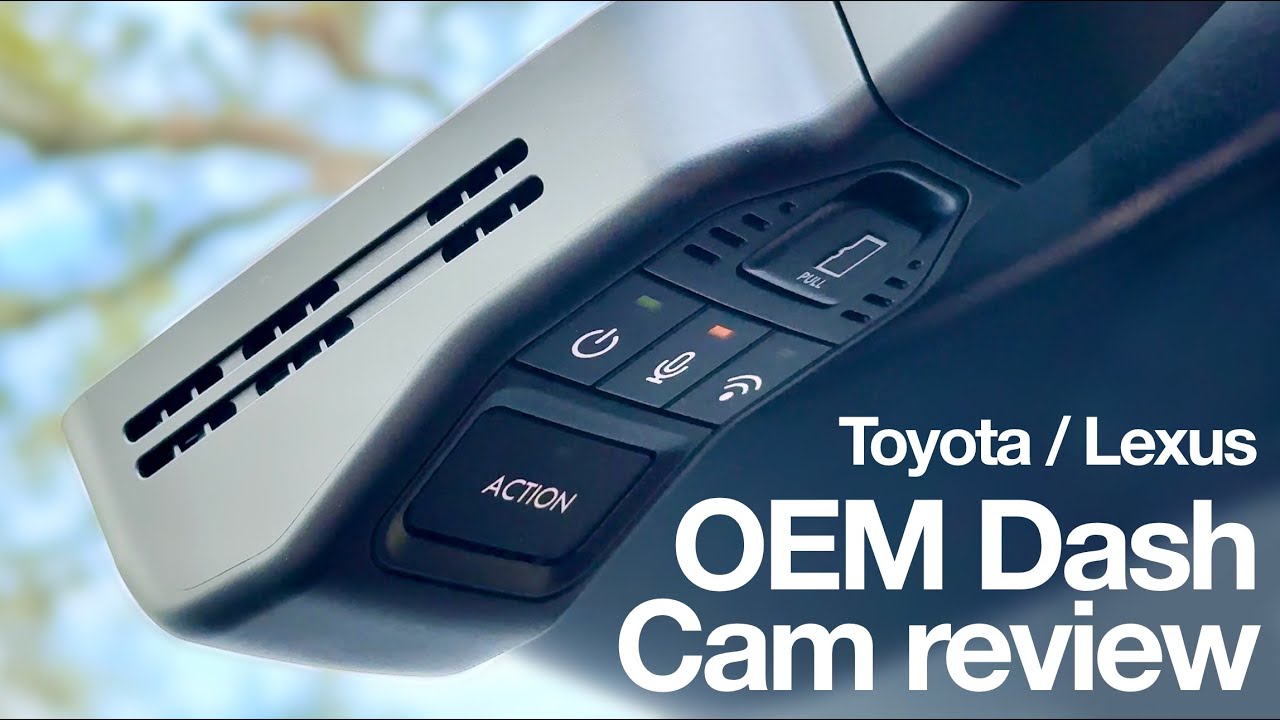
A dash cam typically works best with a 32GB to 256GB SD card, with 128GB being the sweet spot for most drivers who want a balance of storage and reliable loop recording.
If you've ever pulled into a parking lot after a long drive and wondered whether your dash cam actually captured everything that mattered, the answer usually comes down to one tiny piece of hardware working overtime: the SD card. Over the years, I've installed, tested, and swapped out dozens of cards across different dash cam models, and I've seen firsthand how the right size can mean the difference between catching that critical fender bender on video or losing the footage forever. Choosing the best SD card for your dash cam isn't just about buying the biggest one you can find. It's about matching storage capacity, speed, and endurance to how you actually drive. In this guide, I'll walk you through everything you need to know so you can stop guessing and start recording.
Why SD Card Size Matters for Dash Cams
Your dash cam is essentially a tiny computer that writes data nonstop. Every minute of high-definition footage adds up, and over days or weeks of driving, that data can fill a small card surprisingly fast. If your card is too small, you'll lose older footage quickly. If it's too large, you might pay for capacity you never actually use.
Here's what really happens behind the scenes. Dash cams use loop recording, which means they continuously overwrite the oldest files once the card reaches capacity. This is great for saving space, but only if the card can handle constant writing without wearing out. That's why both size and endurance ratings matter.
When I first started using dash cams years ago, I grabbed a cheap 16GB card from a gas station kiosk. Within three weeks, the card corrupted, and I lost an entire road trip's worth of footage, including a near-miss that could've helped a friend with an insurance claim. That mistake taught me that dash cams aren't kind to standard memory cards. They need cards designed for continuous write cycles.
What Size SD Card Do Most Dash Cams Need?
While there isn't a single universal answer, there's a practical range that covers the vast majority of drivers.
32GB SD Card
A 32GB card works for short commutes and light drivers. At 1080p resolution, you can expect roughly 4 to 6 hours of footage before loop recording kicks in. This size is often the starting recommendation from entry-level dash cam manufacturers.
It makes sense if you:
- Drive less than an hour per day
- Want a budget-friendly option
- Plan to offload footage regularly to a computer
The catch is that 32GB fills up fast. If you drive for a living or take long trips, you'll find yourself reformatting or swapping cards more often than you'd like.
64GB SD Card
A 64GB card is the comfortable middle ground for casual drivers. At 1080p, you'll get around 8 to 12 hours of recording, which is enough to cover a full day of driving for most people. Many mid-range dash cams ship with a 64GB card as the default recommendation.
This is my go-to recommendation for commuters and rideshare drivers who don't want to think about storage all the time.
256GB and 512GB SD Cards
A 256GB card is excellent for high-resolution dash cams, especially those shooting in 4K or with dual lenses. At 4K, you can expect 12 to 20 hours of footage, which covers multi-day driving without needing to offload files.
A 512GB card is more than most people need unless you're a long-haul trucker, a fleet operator, or simply want maximum peace of mind. It's also useful if your dash cam has parking mode recording, which continues writing even when the car is off.
That said, not every dash cam supports cards above a certain capacity. Most modern models handle 256GB without issue, but 512GB and 1TB cards sometimes require firmware updates or specific compatibility checks.
Understanding SD Card Speed Classes
Size isn't the only thing that matters. Speed determines whether your dash cam can actually keep up with recording.
Speed Class Ratings Explained
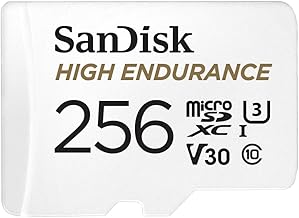
You'll see ratings like Class 10, U1, U3, V30, and V60 on SD cards. These tell you the minimum sustained write speed.
- Class 10: 10 MB/s minimum write speed
- U1 (UHS Speed Class 1): 10 MB/s minimum
- U3 (UHS Speed Class 3): 30 MB/s minimum
- V30 (Video Speed Class 30): 30 MB/s minimum
- V60 and V90: 60 MB/s and 90 MB/s minimums, reserved for high-bitrate video
For 1080p recording, a Class 10 or U1 card usually suffices. For 4K recording, you'll want at least a U3 or V30 card to avoid dropped frames or corrupted files.
I've tested cards that technically meet the speed requirement but still caused issues because they couldn't sustain that speed under continuous writing. That's why endurance-rated cards from reputable brands matter more than chasing the highest theoretical speed.
Why Endurance Ratings Are Critical
Standard SD cards are designed for occasional use, like storing photos or transferring documents. Dash cams are a completely different beast. They write data constantly, often in harsh temperatures inside a windshield.
Endurance SD cards are built specifically for this kind of punishment. They use higher-grade NAND flash memory designed to handle tens of thousands of hours of continuous recording.
A standard card might last 6 to 12 months in a dash cam. An endurance card can last 3 to 5 years under the same conditions. If you do the math, endurance cards actually save money over time, even though they cost a bit more upfront.
Common SD Card Mistakes to Avoid
Over the years, I've seen the same mistakes pop up again and again. Here's what to watch out for.
Buying the cheapest card available. Off-brand cards with no reputation often use lower-grade memory that corrupts under heavy writing. The few dollars you save aren't worth the lost footage.
Ignoring the speed class. A slow card in a high-resolution dash cam leads to stuttering, dropped frames, and corrupted files that may not be recoverable.
Forgetting to format regularly. Even the best cards benefit from a monthly format. This refreshes the file system and reduces the chance of errors. Most dash cams have a built-in format option in their settings menu.
Using the card past its lifespan. SD cards don't last forever. If your dash cam is reporting card errors or freezing during recording, it's time to replace the card, even if it hasn't been physically damaged.
Mixing old and new cards. If you upgrade your dash cam to one that writes faster, your existing card could become the weakest link in the chain. Match the card to the camera, not just to your wallet.
How to Choose the Right SD Card for Your Dash Cam
Choosing the best SD card isn't complicated once you know what to look for. Follow these steps and you'll end up with a card that just works.
- Check your dash cam's manual for maximum supported capacity and recommended card type.
- Pick a card with at least a U3 or V30 speed rating if you record in 1080p or higher.
- Choose an endurance-rated card from a trusted manufacturer.
- Buy from reputable retailers to avoid counterfeit cards, which are surprisingly common online.
- Format the card inside the dash cam before first use, even if it came pre-formatted from the factory.
When I help friends pick out a dash cam setup, I usually recommend a 128GB endurance card as the starting point. It gives most people a week or more of driving footage, handles 4K recording comfortably, and costs less than a nice dinner out.
Storage Capacity Based on Resolution
Resolution dramatically affects how much footage your card can hold. Here's a rough breakdown to help you visualize the differences.
- 720p recording: roughly 2 to 3 GB per hour
- 1080p recording: roughly 3 to 6 GB per hour
- 1440p recording: roughly 6 to 10 GB per hour
- 4K recording: roughly 10 to 20 GB per hour
If your dash cam records at 4K with both front and rear cameras, that 128GB card might only hold 6 to 8 hours of footage before older clips start getting overwritten. For most drivers, that's still plenty, but it's worth understanding the trade-off.
What About Parking Mode Recording?
Parking mode is one of the most useful features on modern dash cams, but it also dramatically increases storage demands. When your car is parked, the dash cam may record any motion or impact it detects, sometimes for days at a time.
If you frequently park in busy areas or leave your car at airports, parking mode will eat through storage faster than driving mode. A larger card, like 256GB, gives you more buffer so important parking incidents don't get overwritten before you retrieve the footage.
How Long Does an SD Card Last in a Dash Cam?
The honest answer is "it depends," but there are some general patterns.
- Standard cards in dash cams: 6 to 12 months of reliable use
- Endurance cards in dash cams: 2 to 5 years of reliable use
Heat, write frequency, and card quality all play a role. Cards mounted in cars parked in direct sun tend to wear out faster because heat accelerates flash memory degradation. If you live in a warm climate, look for cards rated for high operating temperatures.
Frequently Asked Questions
What size SD card is best for a 4K dash cam?
For 4K recording, a 128GB or 256GB card is ideal. A 128GB card provides roughly 6 to 10 hours of footage, while a 256GB card offers 12 to 20 hours. Both sizes handle the high bitrate of 4K video without dropping frames, especially when paired with a U3 or V30 speed rating.
Can I use any SD card in a dash cam?
Technically, most dash cams will accept any SD card that physically fits, but not every card will work reliably. Dash cams require cards with high endurance and consistent write speeds. Standard consumer cards often fail within months under continuous recording. Always use an endurance-rated card from a reputable brand.
How often should I format my dash cam SD card?
Most experts recommend formatting your SD card once a month. Regular formatting keeps the file system healthy, reduces errors, and extends the card's lifespan. Many dash cams allow you to format directly from the settings menu, which takes only a minute.
Does a bigger SD card mean better dash cam performance?
Not necessarily. A bigger card simply means more storage, but the card's speed class and endurance rating matter more for actual performance. A high-quality 64GB card will outperform a cheap 256GB card in most real-world dash cam scenarios.
What's the difference between SD, SDHC, and SDXC cards?
The difference is capacity range. SD cards hold up to 2GB, SDHC cards hold 2GB to 32GB, and SDXC cards hold 64GB to 2TB. Most modern dash cams use SDXC cards because they support larger capacities and faster speeds. Always check your dash cam's compatibility before buying.
Choosing the Right Card for Peace of Mind
Picking the right SD card for your dash cam is one of those small decisions that pays off big when it matters most. Whether you're a daily commuter, a weekend road tripper, or someone who relies on a dash cam for work, the right card keeps your footage safe, your recordings smooth, and your mind at ease.
My advice is simple. Start with a 128GB endurance card from a trusted brand, match the speed class to your camera's resolution, and get into the habit of formatting it monthly. That combination will cover the vast majority of drivers and keep your dash cam doing what it's supposed to do: capturing everything that happens on the road without you ever having to think about it.
If you found this guide helpful, consider sharing it with a friend who just got a new dash cam, or drop a comment below with the setup that's worked best for you. Safe driving, and may your footage stay boring.