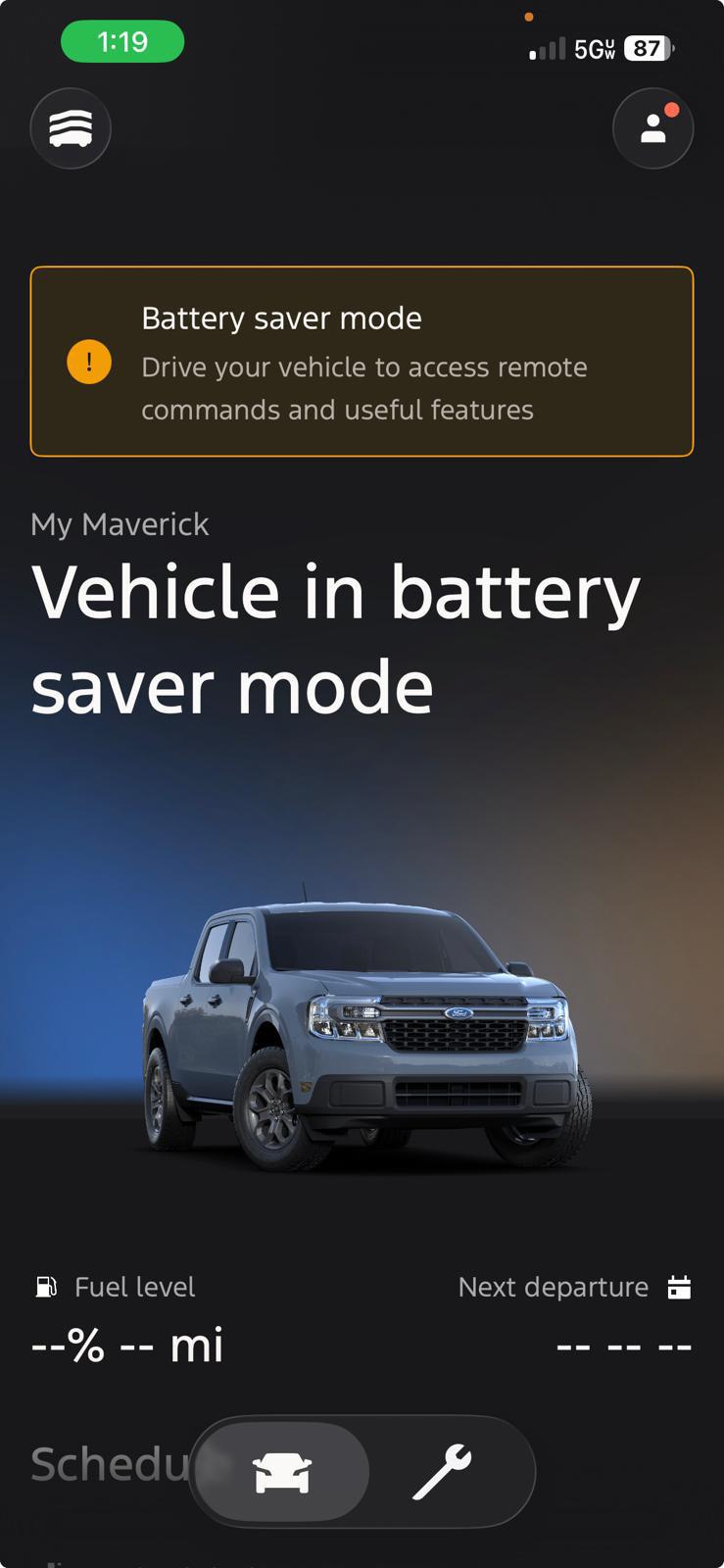
Battery saver mode on a car is a smart feature that automatically shuts off non-essential electronics to prevent the battery from draining completely.
If you've ever seen a little battery icon pop up on your dashboard or felt your car's electrical system dimming unexpectedly, you've already met battery saver mode. It's one of those quiet helpers that doesn't get a lot of attention until you really need it. Think of it as your car's way of saying, "Hey, let's save some energy before we get stuck."
I've spent years tinkering with cars and helping drivers understand their dashboards, and I can tell you this: most people misunderstand battery saver mode. Some ignore it. Some panic when they see it. But once you get what it actually does, you'll never look at your car's electrical system the same way again.
Let's break it all down so you can drive smarter and avoid those frustrating dead-battery moments.

What Battery Saver Mode Actually Does
Battery saver mode, sometimes called energy management mode or load shedding, is a built-in feature in most modern vehicles. It monitors your car's battery voltage and takes action when the charge drops below a safe threshold.
When the system senses that your battery is getting weak, usually because the engine is off but accessories are still running, it starts cutting power to things you don't need to start the car. This protects enough juice in the battery for your next ignition.
Here's a simple way to picture it. Imagine you're camping with a single lantern. When the battery gets low, you stop using it to read and save what's left for emergencies. That's exactly what your car is doing.
Common things that get shut off during battery saver activation include:
- Heated seats
- Heated steering wheel
- Heated mirrors
- Rear window defroster
- Interior cabin lights
- Infotainment system brightness
- Auxiliary power outlets
- Climate control fan speed
The idea isn't to leave you uncomfortable. It's to keep just enough power so your car starts the next time you turn the key or push the button.
Why Cars Have Battery Saver Mode
Cars today are packed with electronics. That's a good thing when you're driving, but it becomes a problem when the engine is off and you're still using power. Even something as simple as leaving your headlights on for an hour can kill a battery.
Automakers added battery saver mode for a few important reasons:
- To prevent dead batteries from leaving drivers stranded
- To extend battery life by avoiding deep discharge cycles
- To reduce warranty claims related to battery failure
- To improve overall electrical system reliability
From my experience working with both older and newer models, vehicles without this feature tend to have more battery-related issues. I've seen cars from the early 2000s where owners had to replace batteries every two years simply because there was no smart system to manage accessories.
Modern vehicles with battery saver mode often see batteries last four to six years, even with regular use.
How It Works Behind the Scenes
Battery saver mode relies on a small network of sensors and a control module that watches your battery's state of charge in real time.
Here's the basic flow:
- The battery sensor measures voltage and current flow
- The body control module or energy management system evaluates the data
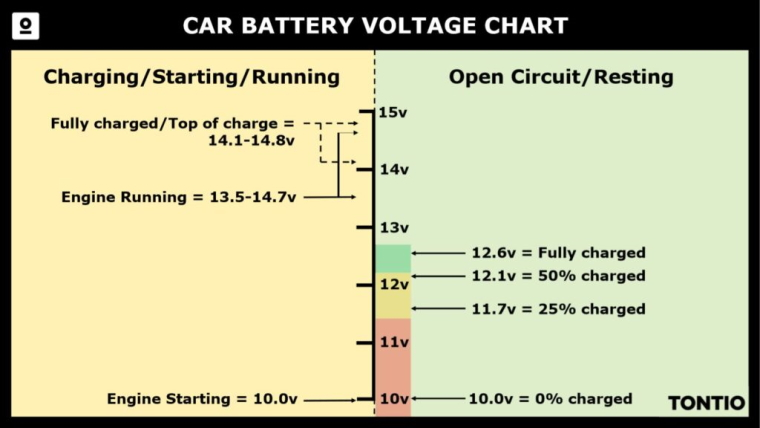
- When voltage drops below a set threshold, usually around 11.8 to 12.0 volts
- The system sends commands to non-essential modules
- A warning message appears on your dashboard
- Power to accessories is reduced or shut off
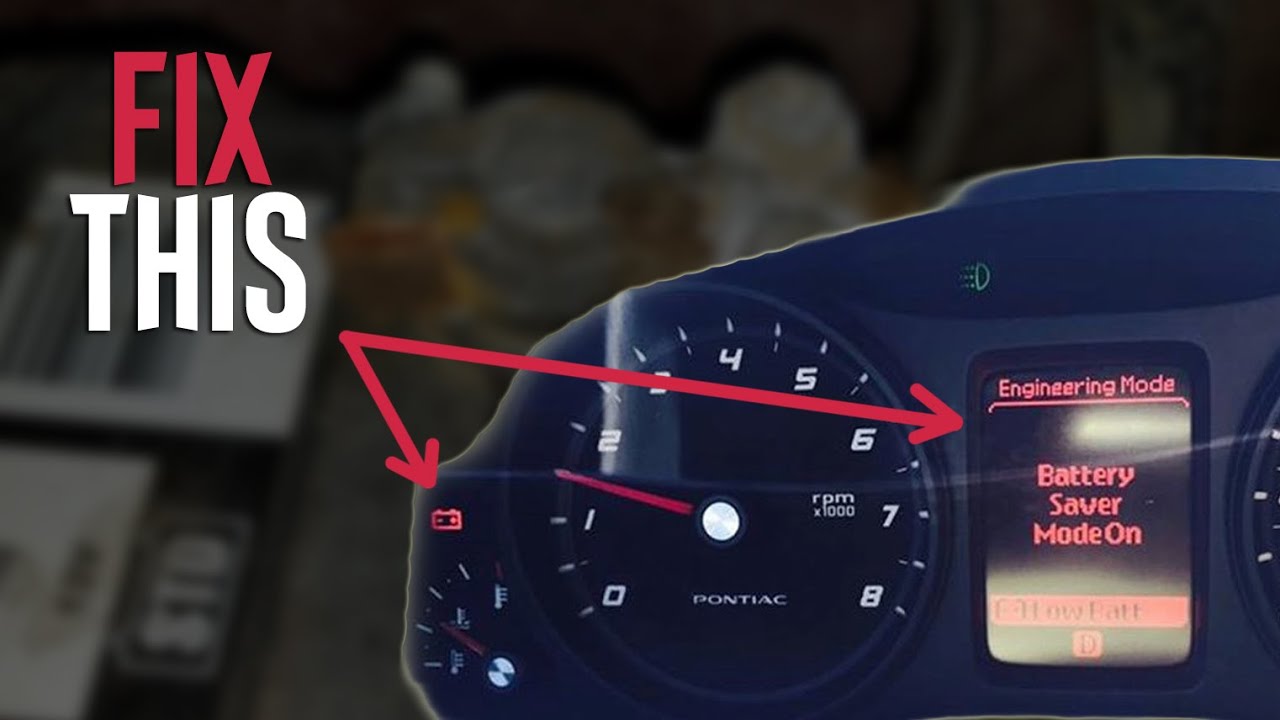
You might see a message like "Battery Saver Active," "Electrical System Saver Active," or simply a battery icon. Each brand phrases it differently, but the meaning is the same.
A real tip from my own experience: if you see this warning, don't ignore it. Start your engine within a few minutes and let it run for at least 15 to 20 minutes to recharge the battery. If the warning keeps coming back, it's time to test your battery and charging system.
When Does It Activate
Battery saver mode doesn't kick in randomly. It usually shows up in a few predictable situations.
- You leave your radio or lights on while the engine is off
- You sit in the car with accessories running for a long time
- Your battery is aging and can't hold a full charge
- Your alternator is starting to fail
- Extreme temperatures are putting extra strain on the battery
- You haven't driven long distances in a while and the battery never recharged fully
Think about the last time you sat in your driveway with the car running, blasting music while waiting for someone. That uses power. Now imagine doing it with the engine off. You're pulling straight from the battery with no way to recharge. That's exactly when this feature saves the day.
Signs Your Battery Saver Mode Is Working Hard
Sometimes battery saver mode is doing its job so often that it becomes a clue about a bigger problem. Watch for these signs:
- The warning appears almost every time you start the car
- Your infotainment screen dims unexpectedly
- Heated seats or defrosters stop working on cold mornings
- Interior lights flicker or seem weaker than usual
- You hear clicking when trying to start the car
If any of these feel familiar, your battery might be on its way out. I learned this the hard way with an older SUV I used to drive. The battery saver warning kept showing up, and I kept brushing it off. One freezing morning, the car simply wouldn't start. A quick battery test at the auto shop confirmed what I should have caught earlier.
Battery Saver Mode vs Idle Stop vs Eco Mode
People often confuse battery saver mode with other features. They sound similar but do very different things.
Battery saver mode protects your battery by cutting accessories when the charge is low. It runs automatically and usually without driver input.
Auto start-stop shuts off your engine when you're stopped at a light to save fuel. It saves gas, not battery life directly.
Eco mode adjusts throttle response, transmission behavior, and climate settings to improve fuel economy. It does not manage battery charge.
Knowing the difference helps you understand what your car is actually doing. It also prevents unnecessary worry when you see a message pop up.
Can You Turn Off Battery Saver Mode
In most vehicles, you cannot manually disable battery saver mode. It's a protective feature built into the car's software.
However, you can stop it from triggering by:
- Starting the engine promptly when the warning appears
- Avoiding long accessory use with the engine off
- Keeping your battery in good condition
- Driving regularly for at least 20 minutes at a time
Think of it like a smoke detector. You can't really turn it off, and you wouldn't want to. It's there to warn you before things get worse.
Tips to Avoid Triggering Battery Saver Mode
A few simple habits go a long way in keeping your battery healthy and the warning away.
- Turn off headlights and interior lights when parking
- Don't sit in the car with the engine off for long periods
- Unplug phone chargers and accessories when not in use
- Drive your car regularly, especially if it sits for days
- Have your battery tested once a year after it hits three years old
- Clean battery terminals to prevent poor connections
A mechanic friend once told me, "The cheapest battery repair is the one you prevent." Honestly, he's right. Most battery issues are avoidable with basic attention.
What to Do When the Battery Saver Warning Appears
Stay calm. This warning is helpful, not harmful. Here's what I recommend based on real-world use.
- Start the car as soon as possible
- Let it idle or drive for at least 15 to 20 minutes
- Avoid using heavy accessories during this recharge time
- If the warning returns quickly, schedule a battery test
- Check for dashboard warning lights related to the charging system
If your car struggles to start after the warning, jump-start it and drive straight to a repair shop. Don't just let it sit and hope things fix themselves.
How Long Does It Take to Recharge
This depends on how depleted the battery is and how you're recharging it.
- Idling for 20 to 30 minutes gives a partial recharge
- Highway driving for 30 minutes offers a stronger recharge
- Using a smart battery charger takes 4 to 8 hours for a full charge
- A dedicated battery maintainer can restore a deeply drained battery overnight
In my garage, I've restored several batteries that drivers thought were dead. A slow overnight charge often brought them back to full health. It's always worth trying before spending money on a replacement.
Common Myths About Battery Saver Mode
Let me clear up a few things that often confuse drivers.
- Myth: Battery saver mode damages the car. Truth: It protects the car.
- Myth: It means your battery is brand new and faulty. Truth: It can trigger on healthy batteries if accessories are overused.
- Myth: You can fix it by resetting the car. Truth: It resets when the battery voltage recovers.
- Myth: Only luxury cars have it. Truth: Most cars made after 2010 include some form of it.
Frequently Asked Questions
Does battery saver mode hurt the battery?
No, it actually helps the battery by preventing deep discharge, which is one of the fastest ways to damage a battery over time.
Can I drive with the battery saver warning on?
Yes, but drive directly to a service shop if it stays on for more than a few minutes. It means the battery is not charging properly.
How do I know if my battery saver mode is working?
You will see a dashboard message and notice non-essential features shutting off automatically. That is the system working as designed.
Will battery saver mode turn off my headlights?
On most vehicles, it reduces power to accessories but leaves critical safety systems like headlights functioning at a basic level until you restart the engine.
Is battery saver mode the same as eco mode?
No. Battery saver mode manages electrical load. Eco mode adjusts driving settings for better fuel economy. They serve different purposes.
Final Thoughts
Battery saver mode is one of those features that quietly does its job without asking for attention. It protects your battery, keeps your car starting reliably, and often saves you from a frustrating morning.
Once you understand how it works, you'll stop worrying when you see that little warning pop up. Pay attention to it, give your battery the care it needs, and your car will repay you with dependable starts and a longer-lasting electrical system.
If your battery saver warning keeps showing up, don't wait. Have your battery and charging system tested. A small investment in prevention always beats a tow truck on a cold morning.
Feel free to share your own battery experiences in the comments or ask any questions. I'm always happy to help fellow drivers get the most out of their cars.