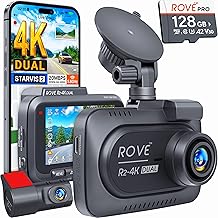
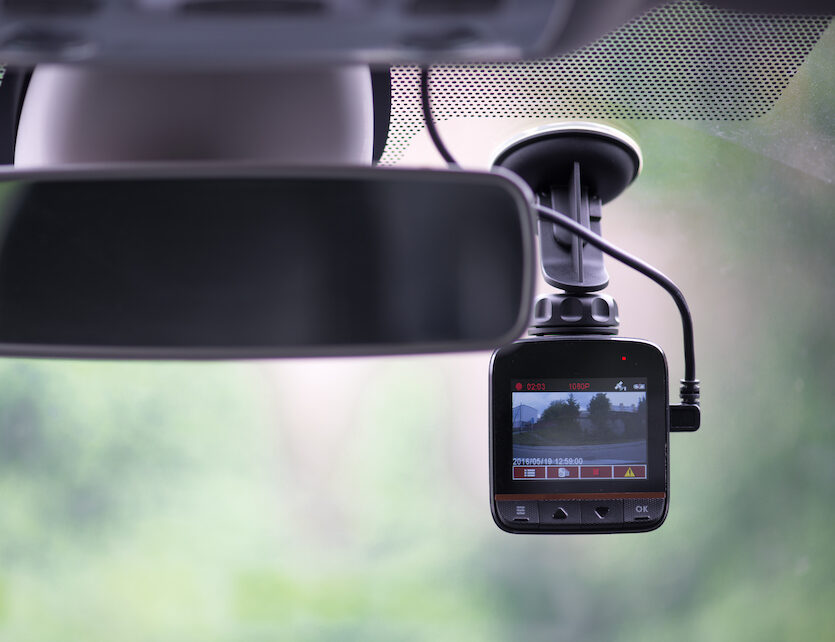
A dash cam works by recording video through a wide-angle lens onto a memory card, using a loop cycle that automatically overwrites old footage when storage runs out.
If you've ever wondered what's really happening on the road around you, or wished you had proof of an accident that wasn't your fault, understanding how a dash cam works can change the way you drive. I've been testing and installing dash cams in everything from compact cars to delivery vans for over six years, and I can tell you the technology has gotten smarter, smaller, and more reliable. In this guide, I'll walk you through the exact mechanics behind these little recording powerhouses, the features that matter, and the common mistakes I see drivers make every day.
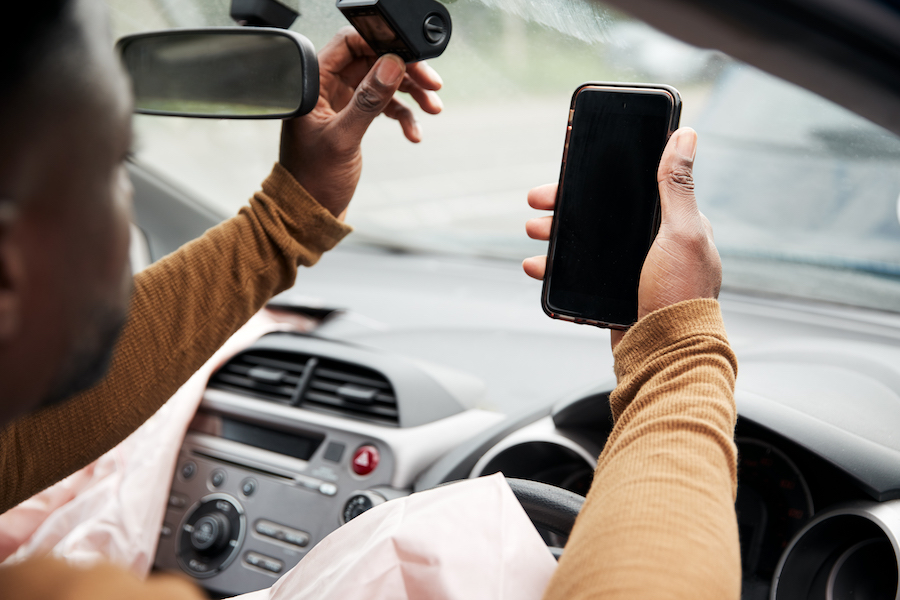
The Core Components That Make a Dash Cam Function
At its heart, a dash cam is a purpose-built digital video camera designed to survive the harsh environment inside a vehicle. Let me break down the essential parts and how they work together.
The image sensor and lens assembly are where the magic starts. Most modern dash cams use a CMOS sensor, the same type found in your smartphone, paired with a wide-angle lens typically ranging from 120 to 170 degrees. When light hits the sensor through the lens, it gets converted into electrical signals that the processor interprets as video frames. The wide field of view is crucial because it captures multiple lanes of traffic and the periphery of the road, which is where most incidents actually happen.
The processor acts as the brain of the dash cam. It takes the raw data from the image sensor, compresses it using codecs like H.264 or H.265, and packages it into a video file that can be stored and played back later. This is also where features like image stabilization, noise reduction, and exposure adjustment happen in real time.
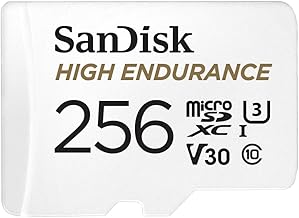
The memory card slot is your storage locker. Almost every dash cam uses a microSD card, usually ranging from 32GB to 512GB in capacity. The camera writes video files to this card continuously while you're driving.
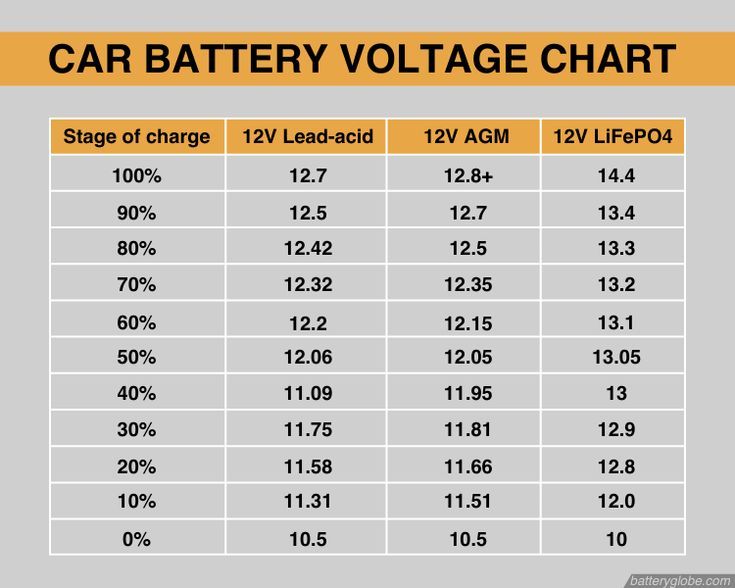
The power system keeps everything running. Most dash cams plug into your car's 12V cigarette lighter port, but many now come with hardwiring kits that connect directly to the fuse box. This allows for parking mode, where the camera can monitor your vehicle even when the engine is off, drawing power from the car battery with built-in voltage cutoff protection to prevent draining it dead.
The G-sensor is the security guard. This tiny accelerometer detects sudden changes in motion, hard braking, sharp turns, or impacts. When it senses something significant, it automatically locks the current video file so it doesn't get overwritten by the loop recording cycle.
The GPS module, found in many mid-range and high-end models, logs your speed, location, and route. This metadata gets embedded into the video file, which can be incredibly useful for insurance claims or reconstructing an accident scene.

How the Recording Process Actually Works Step by Step
Now that you know the parts, let me walk you through exactly what happens from the moment you start your car to when you have a saved video file on your memory card.
Step 1: Power activation
When you turn your ignition key or press the start button, power flows to the dash cam. Most cameras boot up in about 3 to 5 seconds, though some of the newer supercapacitor models do it even faster. The camera automatically begins recording without you having to touch anything, which is a safety feature in itself.
Step 2: Continuous video capture
The image sensor captures video at a set frame rate, usually 30 or 60 frames per second. The lens focuses light onto the sensor, and the processor converts this into a digital video stream. Many dash cams record in 1080p Full HD, but 1440p and 4K models are becoming more common and offer much better detail, especially for reading license plates.
Step 3: Video encoding and compression
Raw video files would fill up a memory card in minutes, so the processor compresses everything using efficient codecs. This is why a 64GB card can hold hours of footage. The trade-off is that some fine detail gets lost, but the compression algorithms are smart enough to preserve the important stuff like faces, road signs, and license plates.
Step 4: Loop recording management
Here's where things get clever. Instead of stopping when the card is full, the dash cam automatically deletes the oldest non-locked file to make room for new footage. Video files are typically broken into segments of 1, 3, or 5 minutes each, which makes them easier to manage and less likely to corrupt than one giant file.
Step 5: Event detection and file locking
If the G-sensor detects a collision or sudden maneuver, the current video segment gets flagged and protected from deletion. Some cameras also have a manual emergency button that lets you lock footage with a single press. This ensures that critical evidence survives even if you keep driving for hours afterward.
Step 6: File storage and access
Files are saved in standard formats like MP4 or MOV, which means you can pop the memory card into your computer or phone and watch the footage immediately. No special software is required for basic playback, though manufacturer apps often let you view GPS data and speed overlays.
Loop Recording: The Feature That Makes Everything Possible
Loop recording is the unsung hero of dash cam technology, and it's worth understanding in detail because it's what allows you to essentially "set it and forget it."
Without loop recording, a dash cam would only be useful until your memory card filled up, which on a 64GB card recording at 1080p might only be 6 to 8 hours. Since most people drive more than that in a week, the camera would stop recording when you most need it.
The way loop recording works is elegantly simple. The camera divides its storage into equal time segments, usually 1 to 5 minutes long. When all the segments are full, the camera goes back to the oldest one, erases it, and starts recording new footage over it. This creates a rolling buffer that always contains the most recent hours of driving.
The genius of this system is the priority system. Regular driving footage is treated as temporary and can be overwritten. But event files, detected accidents, manually locked clips, and parking mode incidents are marked as protected and cannot be deleted by the loop cycle. You have to manually format the card or delete these files yourself.
I learned this the hard way years ago when a client came to me panicking because his card was full of locked files from speed bumps his car had driven over. The G-sensor was set too sensitive. We adjusted the sensitivity levels, and the problem went away. If you notice your card filling up with "incidents" that weren't real, check your G-sensor settings first.

Parking Mode: How Your Dash Cam Protects You While You're Away
One of the biggest advances in dash cam technology over the past five years is parking mode, which turns your camera into a 24/7 security guard for your vehicle.
How parking mode works:
When you turn off your engine, the dash cam doesn't necessarily stop recording. Depending on the type of parking mode your camera has, it switches into a different mode to conserve power while still watching for trouble.
There are three main types of parking mode:
Time-lapse mode records continuously at a very low frame rate, like 1 frame per second. This creates a compressed video of everything that happens around your car while you're away, using very little storage. It's great for catching vandalism or hit-and-runs in parking lots.
Motion detection mode keeps the camera in a low-power standby state. When something moves into the frame, like a person walking up to your car or another vehicle approaching, the camera wakes up and starts recording at full quality. This saves storage and battery life compared to continuous recording.
Buffered mode is the most advanced. The camera continuously records to a temporary buffer but only saves footage when an event is detected, and it includes the few seconds before the event happened. This gives you the full context of an incident rather than just the aftermath.
The role of hardwiring:
For parking mode to work reliably, your dash cam needs a constant power source. This is where hardwiring kits come in. They connect to your car's fuse box and provide constant power, but with a voltage cutoff that turns the camera off if your battery drops below a safe level, usually 11.8V or 12V. This prevents you from coming back to a dead battery.
I've personally tested dozens of parking mode incidents, and the footage has been invaluable. One client's parked car got side-swiped in a grocery store lot. The other driver left a note but denied everything to their insurance. The parking mode footage showed the entire impact clearly, including the other car's license plate. The claim was settled in two days.

Key Features That Affect How a Dash Cam Works
Not all dash cams work the same way. Here are the main features that differentiate models and affect their real-world performance.
Resolution and frame rate determine how clear your footage is. 1080p at 30fps is the minimum acceptable standard today. 1440p or 4K at 30fps gives you much better detail, especially if you need to read a license plate from a distance. Higher frame rates, like 60fps, are better for capturing fast-moving objects without motion blur.
Field of view affects how much of the scene you capture. A 120-degree lens is narrow but produces less fisheye distortion. A 170-degree lens captures more of the surroundings but can make objects at the edges look warped. Most people find 140 to 150 degrees to be the sweet spot.
HDR or WDR (High Dynamic Range or Wide Dynamic Range) is a processing feature that balances bright and dark areas in the same frame. This is critical for driving because you're constantly dealing with shadows, bright skies, and headlights. Without HDR, license plates can be completely washed out by sun glare or darkness.
Capacitor vs. battery power is an important design choice. Batteries can swell and fail in extreme heat, which is a real problem in a car parked in the sun. Capacitors handle temperature extremes much better and last longer, which is why I always recommend capacitor-based dash cams, especially in hot climates.
Wi-Fi and app connectivity let you view, download, and adjust settings on your phone. This is incredibly convenient for showing footage to police at the scene of an accident or saving a clip to your phone without removing the memory card.
GPS logging adds speed, location, and route data to your footage. This can be crucial evidence in an accident, proving you were driving the speed limit or showing the exact sequence of events.

Common Issues and Limitations of Dash Cams
While dash cams are incredibly useful, they're not perfect. Here are some honest limitations you should know about.
Storage limitations are the biggest practical issue. Even with loop recording, if you have a small memory card or an older camera that uses less efficient compression, you might only get a few hours of footage before it starts overwriting. High-end cameras with 4K resolution can fill a 128GB card in just 8 to 10 hours.
Extreme heat can damage cameras, especially those with built-in lithium batteries. I've seen cameras that warped, swelled, or simply stopped working after a summer parked in direct sunlight. This is why capacitor-based models are worth the extra cost.
Night vision quality varies dramatically between models. Cheap cameras produce grainy, dark footage at night that might not capture useful details. Look for cameras with large apertures, like f/1.6 or f/1.8, and high-quality Sony STARVIS sensors if you do a lot of night driving.
Legal restrictions exist in some areas about where you can mount a dash cam and whether you can record audio. In some states or countries, recording conversations inside the vehicle without consent is illegal, so you might need to turn off audio recording.
Theft is a real concern. Dash cams that are visible on your windshield can attract thieves, especially if you leave your car parked in public areas often. Some drivers choose to remove their camera when parked, but that defeats the purpose of parking mode.
Cloud connectivity is still limited. While some premium dash cams offer cloud storage and live viewing, the technology isn't as reliable or widespread as home security cameras. If you need constant remote monitoring, a dedicated security system might be better.
Frequently Asked Questions
Does a dash cam record when the car is off?
A dash cam can record when the car is off if it has parking mode and is either hardwired to the car's battery or connected to an external battery pack. Basic dash cams that only plug into the cigarette lighter will turn off with the engine.
How long does a dash cam record before deleting?
How long a dash cam records before deleting depends on your memory card size and video quality. A 64GB card typically holds 6 to 8 hours of 1080p footage, while a 256GB card can hold 24+ hours before the loop recording cycle starts overwriting old files.
Can dash cam footage be used in court?
Yes, dash cam footage can be used in court as evidence in most jurisdictions. It carries significant weight in accident disputes and insurance claims because it provides objective, time-stamped documentation of what happened. However, legality can vary by location, so check local laws.
Do dash cams drain your car battery?
Dash cams draw very little power, usually less than 0.5 amps, so they won't drain a healthy car battery during normal driving. In parking mode, a hardwired dash cam can drain a weak or old battery over several days, which is why voltage cutoff protection is essential.
What's the difference between a dash cam and an action camera?
A dash cam is designed for continuous, automated recording in a vehicle with features like loop recording, G-sensors, and parking mode. An action camera is designed for short, manually-triggered recording in various conditions but lacks the automation and vehicle-specific features of a dedicated dash cam.
Conclusion
Understanding how a dash cam works gives you a real advantage on the road, not just in capturing evidence but in choosing the right model for your needs. From the wide-angle lens and image sensor that capture the scene, to the processor that compresses the video, to the loop recording system that ensures you never miss a moment, every component plays a vital role. Features like parking mode, G-sensors, and GPS logging have transformed dash cams from simple recording devices into comprehensive vehicle security systems.
If you're in the market for a dash cam, focus on the features that match your driving habits. If you commute long hours, prioritize storage capacity and high resolution. If you park in busy areas, invest in a hardwiring kit and a camera with reliable parking mode. And if you live in a hot climate, choose a capacitor-based model that can handle the heat.
The best dash cam is the one you'll actually use consistently. Set it up once, trust the technology, and drive with the peace of mind that comes from knowing you have an unbiased witness riding along with you. Have questions about a specific model or feature? Drop a comment below, and I'll do my best to help you find the perfect setup for your vehicle.