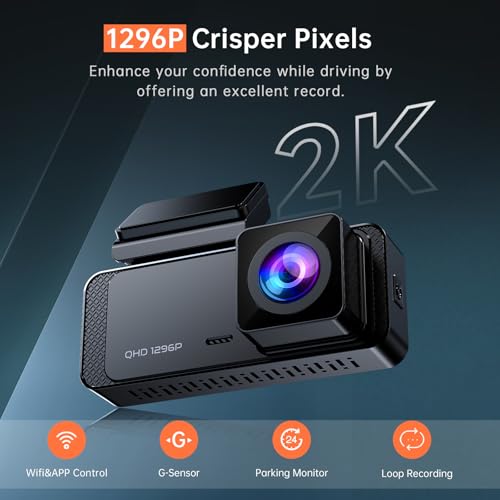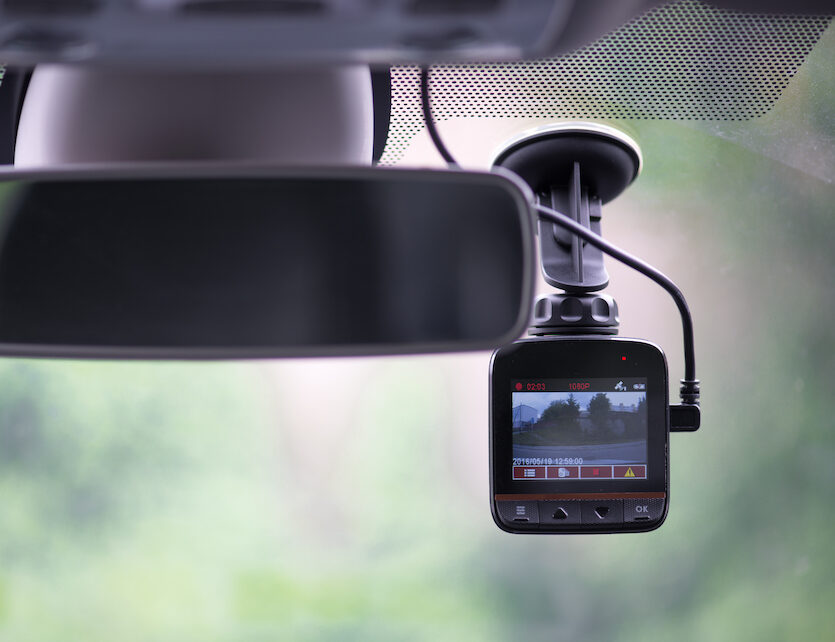
A dash cam works by recording video through a wide-angle lens onto a memory card using continuous or event-triggered recording, powered by your vehicle's electrical system.
If you've ever wondered what that little camera mounted on your windshield is actually doing, you're not alone. I've spent years testing, installing, and troubleshooting dash cams in everything from compact cars to commercial trucks, and I can tell you — these small devices are far more capable than most drivers realize. Understanding how a dash cam works isn't just about satisfying curiosity; it helps you pick the right model, install it properly, and use it to its full potential when you need it most. In this guide, I'll walk you through every piece of the puzzle, from the lens to the loop recording, so you can feel confident about what your dash cam is doing every time you turn the key.
The Core Components of a Dash Cam
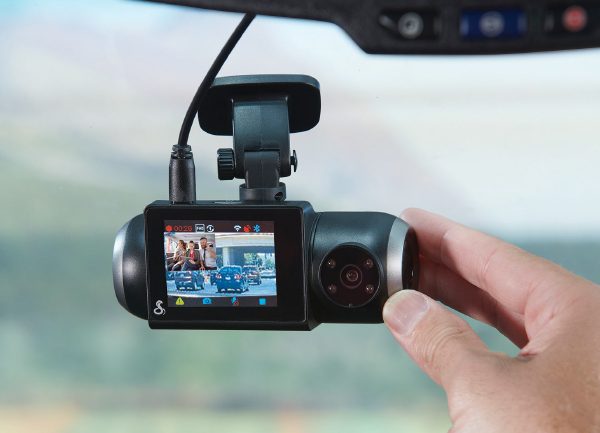
Every dash cam, whether it's a $30 basic model or a $400 premium unit, is built from a handful of essential parts working together. Let me break them down so you know exactly what's happening inside that compact housing.
- Lens: The wide-angle lens captures the road ahead, and in multi-channel systems, the rear and cabin as well. Most consumer dash cams use lenses between 120 and 170 degrees to balance coverage with minimal fisheye distortion.
- Image Sensor: The sensor, usually a CMOS chip, converts the light coming through the lens into digital signals. Better sensors handle low light and high-contrast scenes much more cleanly.
- Processor: The processor takes that raw data, encodes it into a video file, and manages everything from timestamps to motion detection.
- Storage: A microSD card stores the video files. Most dash cams support cards between 32GB and 512GB, and the video is written in chunks that the camera can overwrite once the card fills up.
- Microphone: Records audio inside the cabin, which can be toggled on or off depending on local laws and personal preference.
- GPS Module (optional): Logs your speed and route, which can be invaluable evidence in an accident dispute.
- G-Sensor (Accelerometer): Detects sudden braking, swerves, or impacts and automatically saves the current clip so it won't be overwritten during loop recording.
- Power Circuit: Regulates voltage from your car's 12V outlet or hardwired fuse tap, often stepping it down to 5V and managing safe shutdowns when the engine cuts off.
I still remember the first dash cam I ever took apart — I was shocked at how much was packed into a housing smaller than a deck of cards. Once you see how each piece fits, the whole system makes a lot more sense.
How a Dash Cam Records Video: The Recording Loop Explained
The heart of how a dash cam works is its loop recording function. Think of it like a security camera in a convenience store, but smarter and more purpose-built for driving.
When you start your car, the dash cam powers on automatically and begins recording. The camera writes video files in short segments, usually 1, 3, or 5 minutes long, onto the microSD card. Once the card is full, the dash cam doesn't stop — instead, it overwrites the oldest file with the newest recording.
Here's the basic flow in plain terms:
- Power on and begin recording automatically when the engine starts.
- Capture video in short, manageable clips to prevent file corruption.
- Continuously overwrite the oldest unlocked clip when storage runs out.
- Protect important clips from being overwritten using the G-sensor or a manual save button.
This loop design means you never have to worry about swapping cards or running out of space, but it also means anything you don't save will eventually be lost. That's why the next two features are so important.
The Role of the G-Sensor and Parking Mode
The G-sensor, or accelerometer, is one of the most underrated features on a dash cam. It measures forces in multiple directions, so it knows when your car suddenly stops, swerves hard, or gets hit. When the G-sensor detects a significant event, it automatically locks the current clip so loop recording won't erase it.
Parking mode takes this protection a step further. When your engine is off, a hardwired dash cam can still monitor the vehicle using a technique called buffered recording or motion-activated recording. There are a few flavors of parking mode worth knowing:
- Motion Detection: The camera stays in a low-power state and starts recording when something moves in front of the lens.
- Impact Detection: The G-sensor wakes the camera and records when the car is bumped or hit while parked.
- Time-Lapse: The camera continuously records at a low frame rate, condensing hours of footage into a short, reviewable clip.
I've personally caught a hit-and-run in a parking lot thanks to parking mode, and the footage made the insurance claim painless. Without it, I would have had zero evidence and a hefty repair bill.
Power, Wiring, and Installation Basics
A dash cam needs power, and there are three common ways to supply it:
- 12V Cigarette Lighter: The simplest option. Plug the included cable into your car's power outlet, and the dash cam turns on and off with the engine.
- Hardwiring Kit: Connects the dash cam directly to your car's fuse box, providing constant power for parking mode and a cleaner install with no dangling cables.
- OBD-II Port: Some newer dash cams draw power from the diagnostic port, which also switches with the ignition and offers a middle ground between the cigarette lighter and a hardwire setup.
Most dash cams include a small capacitor or battery that allows the camera to safely shut down and save the final clip when power is cut. Capacitors are more heat-resistant and last longer than tiny internal batteries, which is why I always recommend capacitor-based models if you live in a hot climate.
A clean installation isn't just about looks — it keeps the camera out of your line of sight, ensures the adhesive mount sticks properly, and reduces the chance of the cable interfering with airbags or window tint.
How Video Is Stored, Encoded, and Protected
Once the sensor captures light and the processor turns it into data, the dash cam needs to encode that data into a format you can actually play back. Most modern dash cams use H.264 or the more efficient H.265 codec, which compresses video without sacrificing too much quality.
The encoded files are written to the microSD card using a file system optimized for continuous writing. The camera also handles file protection by:
- Locking clips triggered by the G-sensor so they stay on the card permanently.
- Allowing manual locking with a dedicated button on the camera or via the companion app.
- Creating a separate folder for protected clips to keep them organized and easy to find when reviewing footage.
A common mistake I see is people using cheap, no-name microSD cards. Dash cams write a lot of data constantly, and only high-endurance cards are built to handle that workload. A failing card can corrupt files or stop recording altogether — exactly when you need it most.
How Footage Is Reviewed and Shared
Recording video is only half the job. Being able to pull it off the dash cam quickly is what makes the footage useful in real-world situations. There are a few ways to review your clips:
- Remove the microSD card and insert it into a computer or phone using an adapter.
- Connect the dash cam to a computer via USB and browse it like a flash drive.
- Use the dash cam's Wi-Fi app to stream and download clips directly to your smartphone.
When I had to share footage with an insurance adjuster, the Wi-Fi app saved me a ton of time. I just downloaded the clip to my phone and emailed it over in under five minutes — no card reader, no cables, no hassle.
Advanced Features You Should Know About
Modern dash cams do much more than just record the road. Here are some of the advanced features that are worth understanding:
- GPS Logging: Records speed, route, and coordinates, which can be overlaid on the video during playback.
- ADAS (Advanced Driver Assistance Systems): Lane departure warnings, forward collision alerts, and stop-and-go traffic notifications.
- Cloud Connectivity: Premium dash cams can upload footage to the cloud over a mobile hotspot, letting you check on your parked car from anywhere.
- Dual or Triple Channel Recording: Captures the front, rear, and interior of the vehicle simultaneously — popular with rideshare drivers.
- HDR and Night Vision: High Dynamic Range and large aperture lenses improve clarity in low light and high-contrast scenes.
Not every driver needs all of these, but knowing what's available helps you choose a camera that actually matches your driving habits.
Common Misconceptions About Dash Cams
There are a few myths I'd like to clear up based on what I've heard from readers and customers over the years:
- Dash cams drain your battery: Only if they're hardwired incorrectly. A properly installed hardwire kit includes a voltage cutoff that protects your battery.
- Footage can't be used in court: In most jurisdictions, dash cam footage is admissible as long as it was recorded lawfully and hasn't been tampered with.
- All dash cams are the same: The gap between budget and premium models in low-light performance, build quality, and software stability is huge.
Tips From Real-World Experience
After years of testing dash cams in different cars and climates, here are a few practical tips I'd share with anyone thinking about buying or upgrading:
- Always format your microSD card once a month to prevent file corruption.
- Use a high-endurance card rated for continuous write cycles.
- Mount the camera behind the rearview mirror to keep your view of the road clear.
- Hide the cable along the headliner and A-pillar for a factory-installed look.
- Check local laws on audio recording before turning the microphone on.
Frequently Asked Questions About How a Dash Cam Works
Do dash cams record when the car is off?
Yes, but only if the dash cam is hardwired or connected to an external battery pack and has a parking mode feature enabled. Otherwise, it powers down with the engine.
How long can a dash cam record before overwriting?
It depends on the card size and video quality, but most setups give you between 6 and 20 hours of continuous footage before loop recording kicks in.
Can dash cam footage be used as evidence?
In most places, yes. Dash cam footage is widely accepted by insurance companies and courts, especially when it's time-stamped and unedited.
Do dash cams record audio?
Most do, and the feature can usually be toggled on or off. Just be aware that recording conversations without consent may be restricted in some regions.
Is it hard to install a dash cam?
Basic plug-and-play installs take under 10 minutes. Hardwiring takes a bit more effort, but most people can do it with a fuse tap and some patience.
Conclusion
A dash cam might look like a simple gadget, but it's actually a carefully engineered piece of technology designed to record, protect, and sometimes even defend you on the road. From the wide-angle lens to the loop recording engine and the smart G-sensor, every part plays a role in capturing reliable footage exactly when you need it. Whether you're a daily commuter, a rideshare driver, or someone who just wants peace of mind in a parking lot, understanding how a dash cam works helps you get the most out of your investment. Pick the right model, install it cleanly, and check on it occasionally — and you'll have a quiet, tireless witness riding with you every mile of the journey. If you found this guide helpful, feel free to share it with a fellow driver or drop a comment below with your own dash cam experiences.