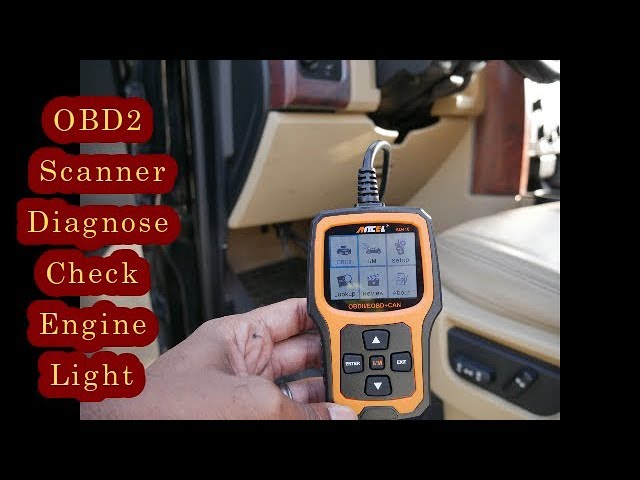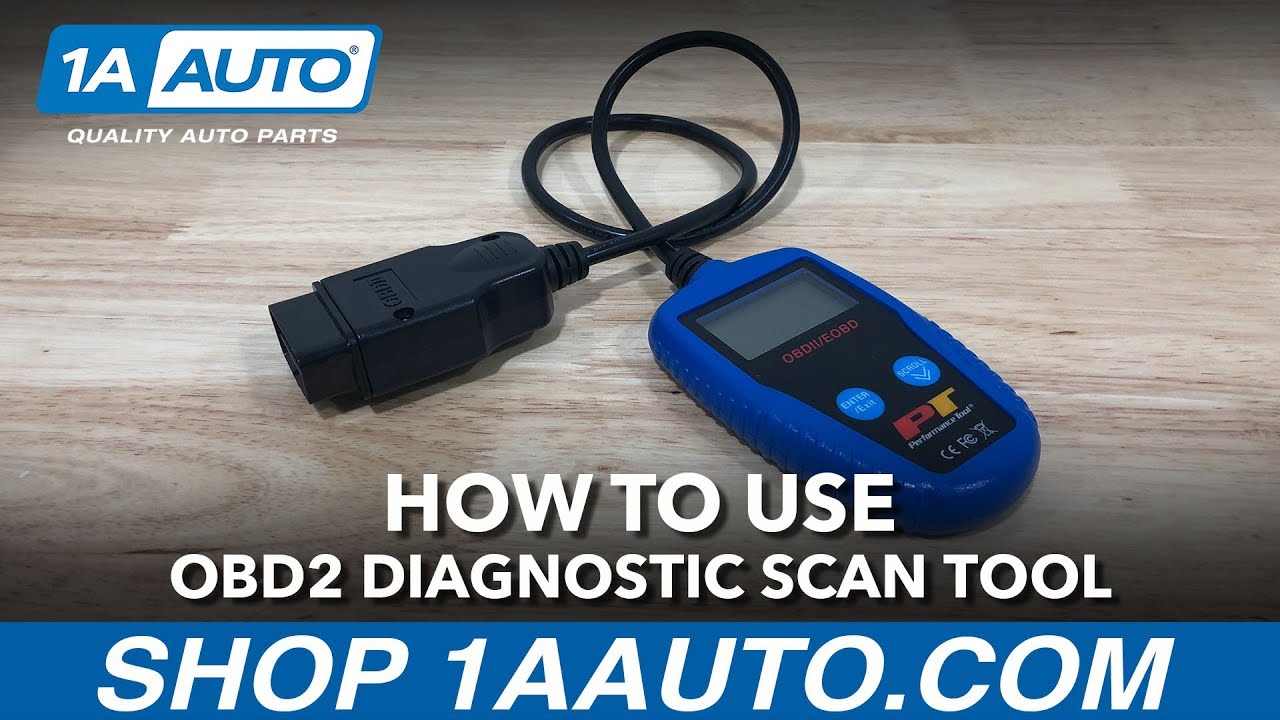
Plug an OBD2 scanner into your car's port, turn the key, and read codes from the screen. Most scanners work in under five minutes even if you have no car experience.
If your check engine light just popped on, that little glow can feel like a mystery. Maybe you are worried about a huge repair bill. Or maybe you just want to know what is going on under the hood. An OBD2 scanner is like a translator for your car. It speaks the language of your engine computer and tells you exactly what is wrong. I have been using these tools for years, both on my own cars and to help friends figure out weird dashboard lights. Trust me, once you learn how to use one, you will never feel helpless at the auto shop again. Let me walk you through the whole process, step by step, so you can diagnose problems like a pro and save money in the process.

What Is an OBD2 Scanner and Why You Need One
OBD2 stands for On-Board Diagnostics, version 2. It is a system built into every car made after 1996 in the United States. Think of it as your car's built-in doctor. It constantly checks how your engine, transmission, and emissions systems are working. When something goes wrong, it saves a trouble code and turns on your check engine light.
An OBD2 scanner is the tool that reads those codes. Without one, you are basically guessing. With one, you get a clear message like "P0420: Catalyst System Efficiency Below Threshold." That sounds technical, but it just means your catalytic converter might be having a bad day.
Here is why owning a scanner is a game changer:
- You can check why your check engine light is on before paying a mechanic for diagnostics
- You can clear codes after a repair to see if the problem comes back
- You can monitor live data like engine temperature, fuel trim, and RPM
- You can catch small issues before they turn into big, expensive repairs
- You can verify a used car's health before buying it
I remember the first time I used one on my old Honda Civic. The light came on, and I was sure it was going to cost me a fortune. Turns out it was just a loose gas cap. A $4 part and five minutes of my time. The scanner paid for itself that day.
Types of OBD2 Scanners You Can Buy
Not all scanners are the same. Some are simple, some are fancy. Picking the right one depends on what you want to do.
Basic Code Readers
These are the budget-friendly option. They usually just read and clear codes. They are perfect if all you want is to figure out why your check engine light is on. Brands like FIXD and Autel make great entry-level models.
Bluetooth and App-Based Scanners
These are my personal favorite for everyday use. You plug a small dongle into your car, then connect it to your phone through an app like Torque or OBD Fusion. You get a full-color dashboard, live data graphs, and even repair suggestions. It feels like having a mini computer lab in your pocket.
Professional Diagnostic Tools
These are what mechanics use. Brands like Snap-on, Launch, and Bosch make heavy-duty scanners that can read manufacturer-specific codes, program keys, and run system tests. They cost more, but if you work on cars a lot, they are worth every penny.
For most people, a good Bluetooth scanner around $30 to $50 is the sweet spot. I have been using the same one for three years, and it has never let me down.
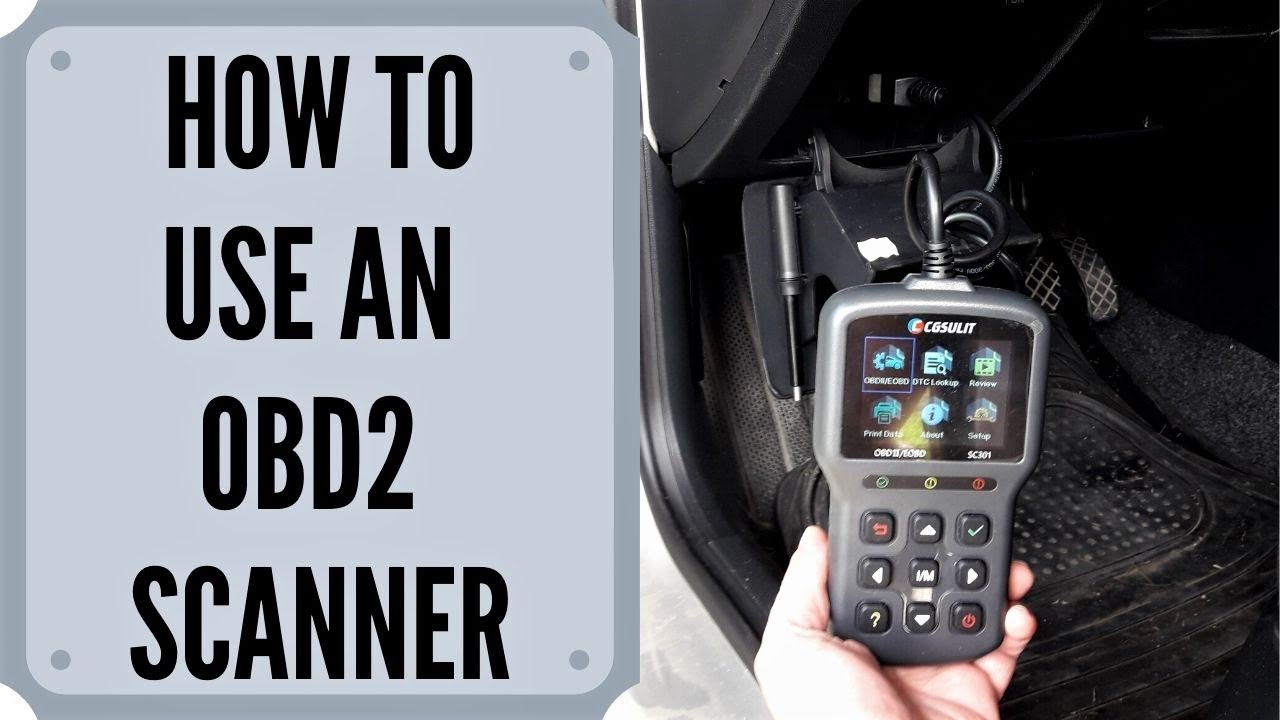
Finding Your OBD2 Port
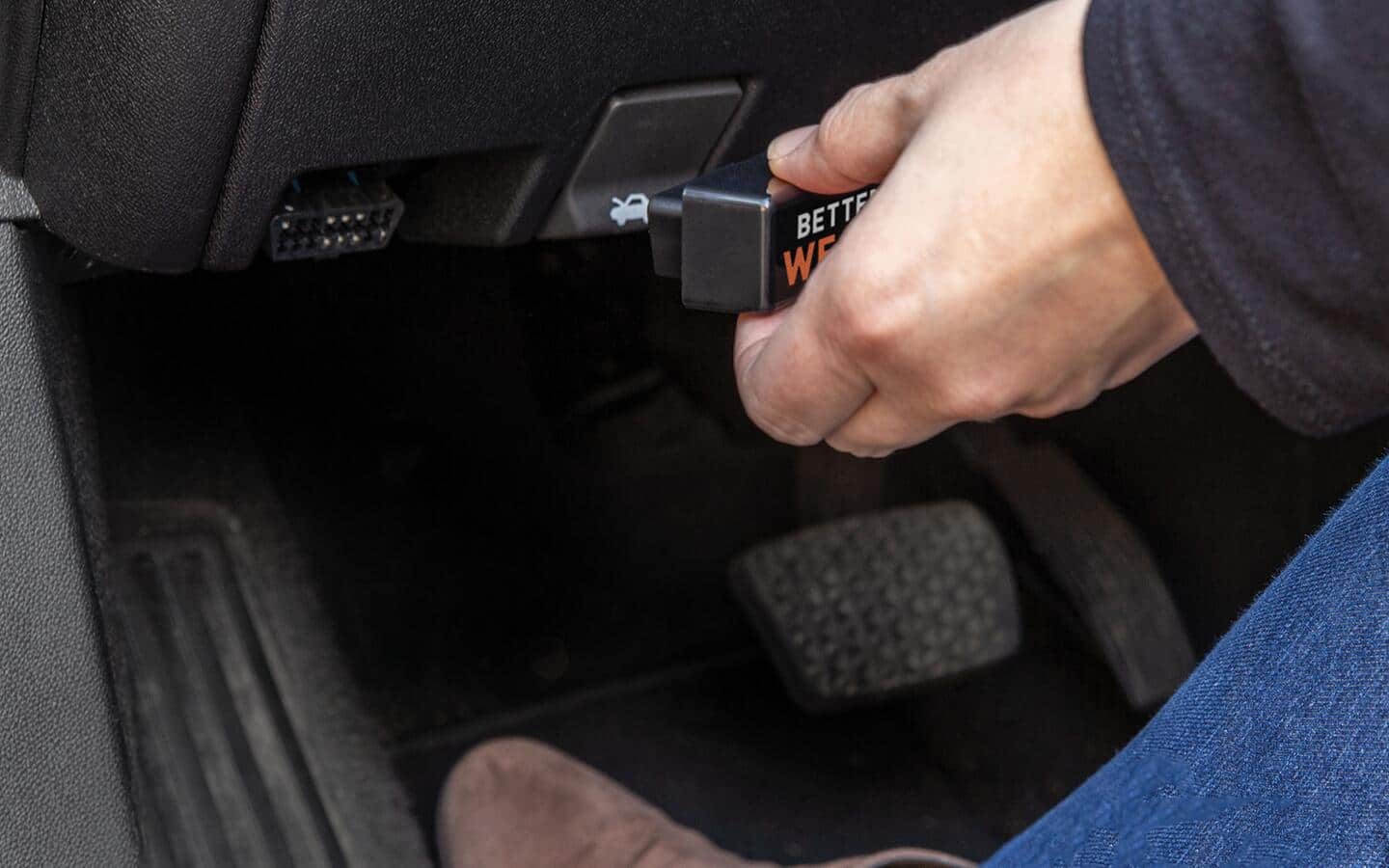
Before you can scan anything, you need to find the port. It is usually somewhere near the driver's seat. In most cars, it is under the dashboard, just below the steering wheel. Some cars hide it behind a small panel or near the center console.
Look for a trapezoidal connector with 16 small holes. It almost looks like an old printer cable port. If you cannot find it, check your car's manual. The port is almost always within reach from the driver's seat, so you do not have to crawl around the car.
A small tip from experience: in some trucks and SUVs, the port might be near the parking brake or even behind the ashtray. Do not panic if it is not exactly where you expected. Just follow the lower edge of the dashboard with your hand, and you will find it.
How to Use an OBD2 Scanner Step by Step
Now the fun part. Let me show you exactly how to use an OBD2 scanner from start to finish. I will keep it simple so you can follow along even if you have never touched a car tool in your life.
- Park your car on a flat surface and turn off the engine. Make sure the parking brake is on for safety.
- Locate the OBD2 port under your dashboard. It is that 16-pin connector we talked about.
- Plug in your scanner firmly. The shape only fits one way, so do not force it. It should click into place.
- Turn your car key to the "on" position. Do not start the engine unless the scanner tells you to. Just turn it far enough that the dashboard lights come on.
- Wait for the scanner to power up and connect. Most devices will say "linking" or show a connection icon. This usually takes 10 to 30 seconds.
- Navigate the menu to "Read Codes" or "Diagnostic Trouble Codes." Press enter or select.
- Write down the codes that appear. They will look like P0301, B1234, or U0100. The first letter tells you the system, and the numbers tell you the specific problem.
- Look up the code in the scanner's manual or app. Most Bluetooth apps will give you a plain-English explanation right on the screen.
- If you want to clear the light, choose "Erase Codes" or "Clear Codes." The check engine light should turn off immediately.
That is the whole process. It really is that simple. The first time I did it, I was shocked that I did not need any special skills. Just plug, turn, and read.
Understanding OBD2 Trouble Codes
Codes might look scary, but they follow a simple pattern. Once you understand the format, you can read them like a pro.
- The first letter tells you the system
- P means Powertrain, which includes engine and transmission
- B means Body, like airbags and power windows
- C means Chassis, like brakes and steering
- U means Network, which is how the computers talk to each other
- The second digit tells you if it is a generic code or a manufacturer-specific one
- 0 means it is a universal code that works on all cars
- 1 means it is specific to your car brand
- The third digit tells you which subsystem is having trouble
- The last two digits are the specific fault number
For example, P0301 means Powertrain, generic, ignition system, cylinder 1 misfire. Once you see it that way, it is not so scary, right?
Most scanners will give you this breakdown automatically. But if you want to go deeper, there are great online databases that explain every code in plain language. I still use them regularly, even after all these years.
Common Mistakes to Avoid When Using an OBD2 Scanner
I have made some of these mistakes myself, so learn from my experience.
- Do not clear codes before you diagnose the problem. If you erase the code, you lose valuable information. Always read and write down the code first.
- Do not ignore pending codes. These are codes that have not triggered the check engine light yet, but they are early warnings. I once ignored a pending oxygen sensor code, and six months later I had to replace the catalytic converter. Expensive lesson.
- Do not assume the code tells you exactly what part to replace. A code like P0420 might point to the catalytic converter, but it could also be a bad oxygen sensor or even an exhaust leak. The code tells you the symptom, not always the cure.
- Do not clear codes right before an emissions test. The system needs time to run all its self-checks, which is called a drive cycle. If you clear codes and then go straight to the test, your car might fail even if everything is fine.
Tips for Getting the Most Out of Your Scanner
Here are a few tricks I have picked up over the years to make scanner use even better.
- Always check for software updates on your scanner or app. Car manufacturers update their codes regularly, and you want the latest information.
- Use live data mode to watch how your engine is running in real time. You can see things like fuel trim, which tells you if your engine is running too rich or too lean.
- Keep a log of any codes that come up, even if you clear them. Patterns over time can help you spot chronic issues.
- If you get a code right after refueling, try tightening your gas cap and driving for a day. About 10 percent of check engine lights I have seen were just loose gas caps.
- Invest in a scanner that shows freeze frame data. This snapshot shows what was happening in your car the moment the code triggered. It is like having a black box for your engine.

When to See a Professional Mechanic
A scanner is a powerful tool, but it is not a replacement for a good mechanic. There are times when you should definitely call in a pro.
- If you get multiple codes that all point to the same system, it might be a bigger electrical issue
- If your car is driving strangely even after clearing codes, something deeper is going on
- If you see transmission codes, those usually need professional attention
- If you do not feel confident making the repair yourself, do not be afraid to ask for help
A good rule of thumb is to use your scanner to understand the problem, then decide if it is a DIY fix or a shop fix. I have saved thousands of dollars over the years by knowing which repairs I can do at home and which ones I need to hand off.
Safety Precautions Before You Start
Working with your car's computer is safe, but a few smart habits will keep everything running smoothly.
- Always make sure your car is in park and the parking brake is on
- Do not plug or unplug the scanner while the engine is running unless your scanner manual says it is okay
- Keep your scanner away from liquids and extreme heat
- Read your scanner's manual before first use. Every model is a little different
I have never had an issue in all my years of using scanners, but I have heard stories of people yanking the cord while driving. Just use common sense, and you will be fine.
Frequently Asked Questions About How to Use an OBD2 Scanner
Do I need a special scanner for my car brand?
Most OBD2 scanners work on all cars made after 1996 in the US. If you have a European luxury car, you might want a scanner that can read manufacturer-specific codes for deeper diagnostics. But for basic check engine light reading, any scanner will do.
Will using an OBD2 scanner void my warranty?
No, simply plugging in a scanner and reading codes will not void your warranty. You are just reading information your car is already storing. The warranty only becomes a concern if you physically modify the car or tamper with emissions equipment.
Can a scanner damage my car's computer?
A properly working OBD2 scanner will not damage your car. These tools are designed to read data, not write to your computer unless you are actively updating software or programming features. Just buy from a reputable brand, and you are safe.
How often should I scan my car?
I scan my cars about once a month as part of regular maintenance, and any time the check engine light comes on. Even if the light is not on, scanning can catch pending codes before they become real problems.
Are cheap OBD2 scanners worth it?
Yes, many budget scanners under $30 work great for basic code reading. Just make sure the reviews are good and it supports your phone if you are buying a Bluetooth model. I started with a cheap one, and it taught me everything I needed to know.
Final Thoughts on Using an OBD2 Scanner
Learning how to use an OBD2 scanner is one of the best things you can do as a car owner. It puts you in control, saves you money, and takes away the stress of the unknown. You do not need to be a mechanic to use one. You just need a few minutes, a simple tool, and the willingness to learn.
Start with a basic scanner or a Bluetooth dongle. Plug it in, read your first code, and see how easy it really is. Once you get comfortable, you will find yourself scanning just for fun, watching live data, and learning more about how your car works than you ever thought possible. Trust me, your wallet will thank you, and you will drive with a lot more confidence knowing exactly what is going on under the hood.