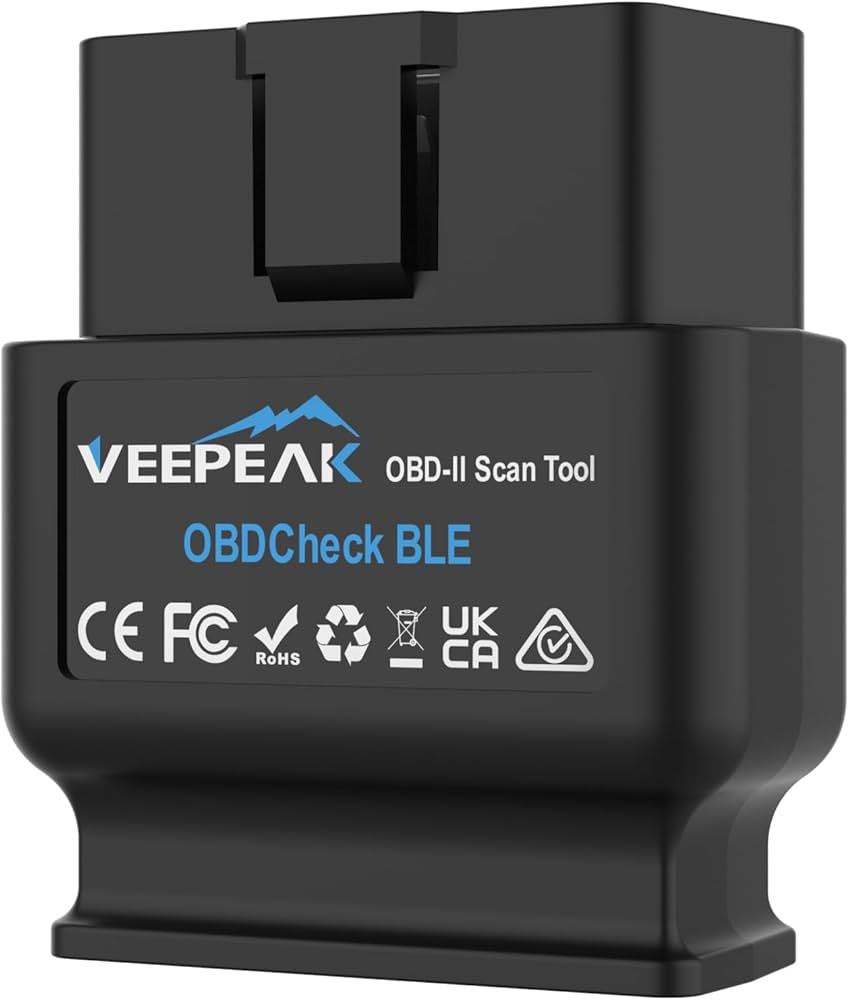
Imagine turning your phone into a powerful car diagnostic tool with just a small Bluetooth device. An OBD2 Bluetooth scanner connects to your car's port and pairs with your phone to read real-time engine data. In this guide, I'll walk you through everything you need to know about how to use an OBD2 Bluetooth scanner, from setup to troubleshooting, based on years of hands-on experience with these handy gadgets.
What Is an OBD2 Bluetooth Scanner and How Does It Work
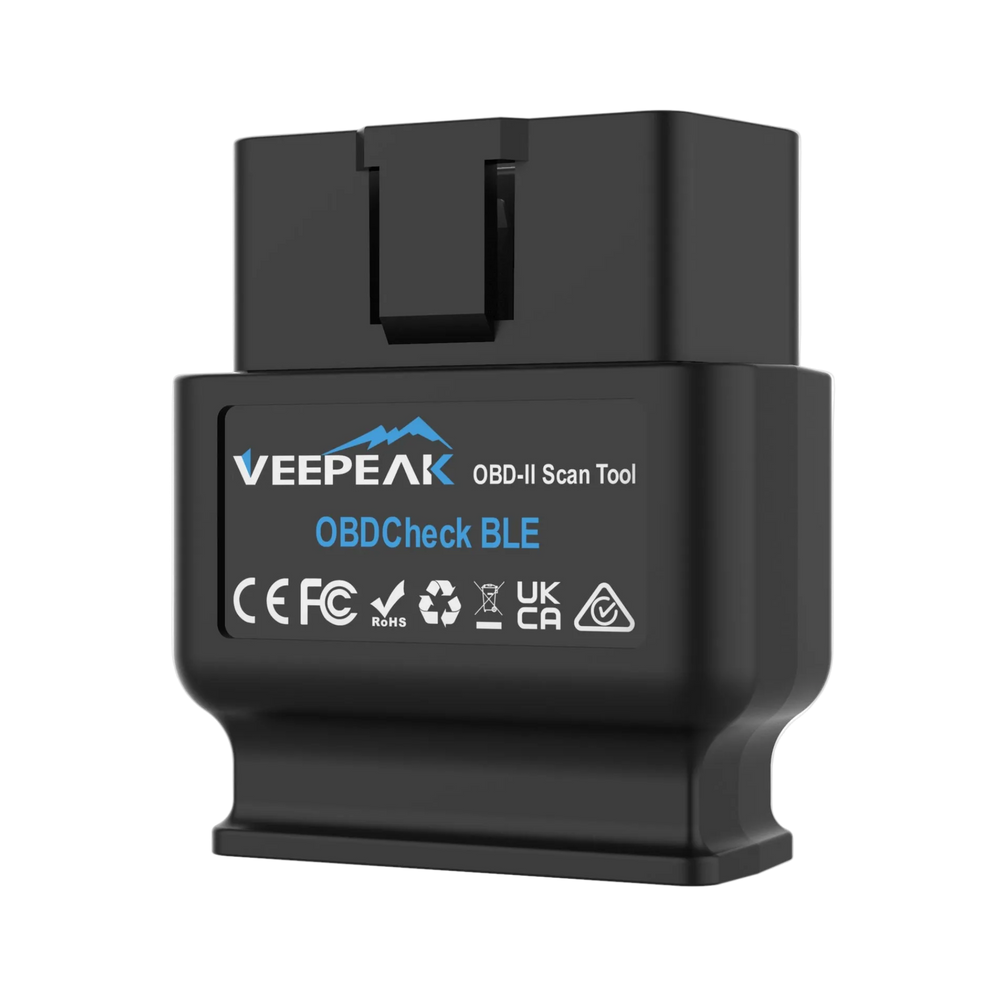
An OBD2 Bluetooth scanner is a small device that plugs into your car's OBD2 port, usually located under the dashboard near the steering wheel. Once connected, it pairs with your smartphone or tablet via Bluetooth, allowing you to access your car's onboard diagnostic system through a compatible app.
These scanners communicate with your car's computer to read trouble codes, monitor live sensor data, and even clear check engine lights. Think of it like a translator that speaks both "car language" and "phone language," making it easy for anyone to understand what their vehicle is trying to tell them.
The beauty of Bluetooth OBD2 scanners is their simplicity. Unlike professional diagnostic tools that cost thousands of dollars, these affordable devices put real automotive power in the palm of your hand. Whether you're a weekend mechanic or just someone who wants to avoid unnecessary trips to the repair shop, learning how to use one can save you time, money, and a lot of headaches.

Choosing the Right OBD2 Bluetooth Scanner for Your Needs
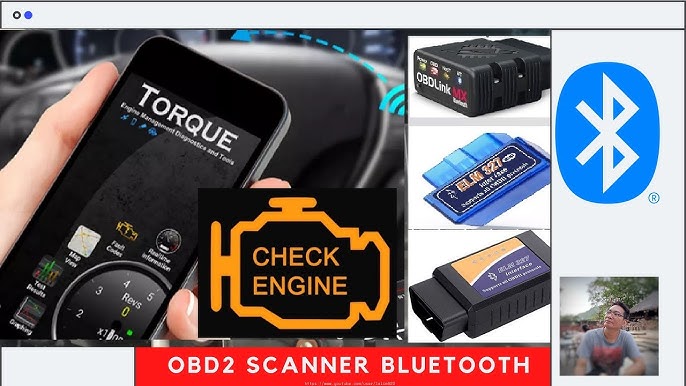
Not all Bluetooth OBD2 scanners are created equal, and picking the right one makes a huge difference in your experience. Here are the key factors I always consider when recommending a scanner:
- Compatibility: Make sure the scanner works with your car's make, model, and year. Most vehicles made after 1996 have OBD2 ports, but some scanners work better with certain brands.
- App Support: The best scanners work seamlessly with popular apps like Torque Pro, OBD Fusion, or BlueDriver. Check if your preferred app supports the scanner you're eyeing.
- Protocol Support: Look for scanners that support multiple OBD2 protocols, especially if you drive older or imported vehicles.
- Build Quality: A scanner with a sturdy casing and reliable Bluetooth chip will last longer and maintain a stable connection.
- Price Point: Budget options around $15 to $25 work great for basic code reading, while premium scanners offer advanced features like ABS and airbag diagnostics.
From my own experience, mid-range scanners from brands like Veepeak, BAFX, and OBDLink strike the perfect balance between price and performance. Avoid the cheapest options on the market, as they often have connectivity issues or poor build quality.
Step by Step Guide on How to Use an OBD2 Bluetooth Scanner
Getting started with your Bluetooth OBD2 scanner is easier than you might think. Follow these simple steps, and you'll be reading your car's data in no time.
Finding and Accessing Your OBD2 Port
The first step is locating your car's OBD2 diagnostic port. In most vehicles, you'll find it underneath the dashboard on the driver's side, often near the steering column. Some cars hide it behind a small panel or cover, so don't be afraid to look around.
The port looks like a trapezoid-shaped connector with 16 pins arranged in two rows. If you're having trouble finding it, your owner's manual will have the exact location. Once you spot it, the scanner should plug in easily with a satisfying click.
Pairing the Scanner With Your Phone
Before you plug in the scanner, head to your phone's Bluetooth settings. Turn on Bluetooth and search for new devices. Most OBD2 scanners will show up with a name like "OBDII," "Veepeak," or a specific model number.
Plug the scanner into your OBD2 port with the car turned to the "on" position, but don't start the engine. The scanner's light should blink or stay solid, indicating it's receiving power. Now, pair the device in your Bluetooth settings. If prompted for a PIN, try "1234" or "0000," as these are the most common defaults.
Downloading and Configuring the App
Once paired, you'll need a compatible app to interpret the data. Popular choices include:
- Torque Pro (Android): Feature-rich and highly customizable, great for advanced users.
- OBD Fusion (iOS and Android): Clean interface with excellent reporting features.
- BlueDriver: Specifically designed for their hardware, offering professional-grade diagnostics.
- Car Scanner: A versatile option that works well with most scanners.
Download your chosen app and open it. Navigate to the connection settings and select your OBD2 adapter from the list. The app will establish a connection, and you'll see a confirmation when it's ready to communicate with your car.
Reading and Understanding Diagnostic Trouble Codes
Now comes the fun part. With the app connected, you can pull diagnostic trouble codes (DTCs) from your car's computer. These codes follow a standardized format that tells you exactly what's wrong.
A typical code looks like "P0301," where:
- P indicates the system (powertrain in this case)
- 0 shows it's a generic code
- 3 specifies the subsystem (ignition)
- 01 identifies the specific fault (cylinder 1 misfire)
The app will provide a description of each code, but I always recommend cross-referencing with online databases for more detailed information. Some codes point to simple fixes like a loose gas cap, while others indicate more serious engine problems.

Best Apps to Use With Your OBD2 Bluetooth Scanner
The app you choose can make or break your OBD2 scanning experience. After testing dozens of options over the years, here are my top recommendations:
Torque Pro for Android Users
Torque Pro remains the gold standard for Android users. It offers real-time gauges, customizable dashboards, and the ability to log data for later analysis. I love using it to monitor fuel economy on long trips or check my car's performance after modifications.
OBD Fusion for Cross-Platform Compatibility
If you switch between iOS and Android devices, OBD Fusion provides a consistent experience on both platforms. Its clean design makes it perfect for beginners, while advanced features satisfy experienced users.
BlueDriver for Professional Level Diagnostics
BlueDriver pairs exclusively with their proprietary hardware but offers features typically found in professional scan tools. It can read ABS, airbag, and transmission codes on most vehicles, making it worth the premium price.
Free Options Worth Considering
If you're on a tight budget, apps like "OBD Auto Doctor" and "inOBD" offer solid functionality without subscription fees. They may lack some advanced features, but they handle basic code reading and live data monitoring just fine.

Common Issues and Troubleshooting Tips
Even with the best setup, you might run into a few hiccups. Here are the most common problems I've encountered and how to solve them:
Connection Drops: If your scanner keeps disconnecting, make sure your phone isn't connected to other Bluetooth devices. Interference from other electronics can also cause issues, so try moving your phone closer to the scanner.
No Connection at All: Double-check that the scanner is fully seated in the OBD2 port. Some cars require the ignition to be in the "on" position but the engine off. Also, verify that your phone's Bluetooth is actually connecting to the scanner and not just seeing it.
App Not Recognizing the Scanner: Make sure you've granted the app necessary permissions, especially location services on Android, which newer versions require for Bluetooth access. Try restarting both the app and your phone if problems persist.
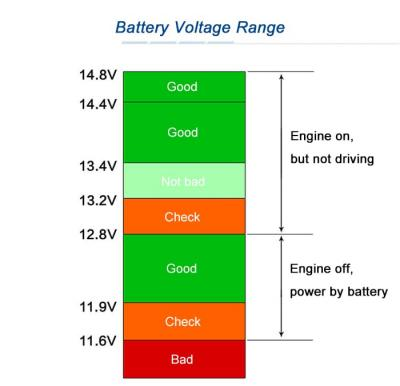
Incomplete Data or Strange Readings: Low vehicle battery voltage can cause communication errors. If your car has been sitting for a while, consider driving it for 15 to 20 minutes before scanning.
Compatibility Issues: Some vehicles use proprietary protocols that basic scanners can't read. If you're having trouble with a specific car, check the scanner's compatibility list before purchasing.

Advanced Features You Should Know About
Once you've mastered the basics, your OBD2 Bluetooth scanner can do so much more than just read codes. Here are some advanced features worth exploring:
Live Data Streaming
Most apps allow you to view real-time sensor data while your car is running. You can monitor everything from engine RPM and coolant temperature to fuel trim and oxygen sensor readings. This is incredibly useful for diagnosing intermittent issues that don't trigger a code.
Emissions Readiness Testing
Before taking your car for an emissions test, you can use your scanner to check if all the required monitors are set. This saves you the frustration of failing the test and having to drive around for days to complete the drive cycle.
Customizable Dashboards
Apps like Tor Pro let you create custom dashboards with gauges and displays tailored to your specific needs. I have a setup that shows my instantaneous fuel economy, boost pressure, and oil temperature all on one screen during my daily commute.
Data Logging and Playback
If you're trying to diagnose a tricky problem, you can log sensor data while driving and review it later. This helps you spot patterns or anomalies that might be causing the issue.
Performance Metrics
Some apps can calculate 0-60 times, quarter-mile times, and other performance metrics using your car's speed and acceleration data. While not as accurate as dedicated tools, it's fun to see what your car can do.

Safety Tips When Using an OBD2 Bluetooth Scanner
While OBD2 scanners are generally safe to use, there are a few precautions you should always take:
- Never scan while driving in a way that distracts you: If you want to monitor live data, have a passenger operate the app or pull over safely.
- Don't clear codes without understanding them: Erasing trouble codes might seem like a quick fix, but it removes valuable diagnostic information that mechanics need.
- Avoid cheap, unbranded scanners: Poorly made devices can potentially interfere with your car's electronic systems.
- Unplug the scanner when not in use: Some scanners draw small amounts of power and could drain your battery if left plugged in for extended periods.
- Keep your phone charged: Bluetooth and screen use can drain your battery quickly, especially during long diagnostic sessions.

How to Use an OBD2 Bluetooth Scanner for Specific Tasks
Let me share some practical scenarios where your scanner becomes invaluable.
Diagnosing a Check Engine Light
When that dreaded check engine light comes on, plug in your scanner and read the code. Write down the code number and its description. This information helps you decide whether it's something you can fix yourself or if you need professional help.
Pre-Purchase Vehicle Inspection
Before buying a used car, spend $20 on an OBD2 scanner and use it to check for hidden problems. Look for stored codes, emissions readiness, and live data patterns. This small investment could save you thousands in future repairs.
Monitoring Fuel Economy
Track your fuel efficiency by logging MPG data over time. This helps you identify habits or conditions that affect your gas mileage, potentially saving you hundreds of dollars annually.
Verifying Repair Work
After having your car serviced, use your scanner to confirm that the repair was successful and no new codes have appeared. This gives you peace of mind and documentation if issues arise later.

Maintaining Your OBD2 Bluetooth Scanner
To keep your scanner working reliably for years to come, follow these simple maintenance tips:
- Store the scanner in a dry place when not in use to prevent corrosion on the connector pins.
- Occasionally clean the OBD2 port in your car with compressed air to remove dust and debris.
- Update your scanner's firmware when updates are available to ensure compatibility with newer vehicles.
- Keep the Bluetooth antenna area clean and free of obstructions.
- Replace the scanner if you notice physical damage or persistent connection problems.
A well-maintained scanner can last five years or more, making it one of the best investments for any car owner.
Frequently Asked Questions
Do OBD2 Bluetooth scanners work on all cars?
Most OBD2 Bluetooth scanners work on any car or truck manufactured after 1996 in the United States. However, some luxury or imported vehicles may use proprietary protocols that require specific scanner brands for full functionality.
Is it safe to leave an OBD2 Bluetooth scanner plugged in all the time?
While generally safe for short periods, leaving a scanner plugged in for days can drain your car battery. Most modern scanners have low power draw, but it's best to unplug it when not actively using it.
Can an OBD2 Bluetooth scanner damage my car?
Reputable OBD2 scanners are designed to be safe and won't damage your car's computer. However, avoid extremely cheap, unbranded devices that might not meet proper quality standards.
Why won't my phone connect to the OBD2 scanner?
Connection issues usually stem from Bluetooth pairing problems, app permissions, or the scanner not receiving power. Make sure the scanner is fully inserted, the ignition is on, and your phone has granted the app necessary permissions.
Can I use an OBD2 Bluetooth scanner to pass an emissions test?
You can't use the scanner itself to pass the test, but it can show you whether your car is ready for testing. This helps you avoid wasted trips to the testing facility when your car's monitors haven't completed their cycles.
Wrapping Up
Learning how to use an OBD2 Bluetooth scanner opens up a whole new world of car ownership. You gain the ability to understand your vehicle's health, catch problems early, and make informed decisions about repairs. The best part is that you don't need to be a mechanic to benefit from this technology.
Start with a quality scanner, pair it with a reliable app, and take some time to explore the features. Before you know it, you'll wonder how you ever managed without one. Whether you're trying to figure out why your check engine light is on, monitoring your fuel economy, or just satisfying your curiosity about how your car works, an OBD2 Bluetooth scanner is an indispensable tool.
Take your newfound knowledge and put it to use. Your car will thank you, and your wallet might too. If you have questions or want to share your own experiences with OBD2 scanners, drop a comment below. I'd love to hear how these tools have helped you on your automotive journey.