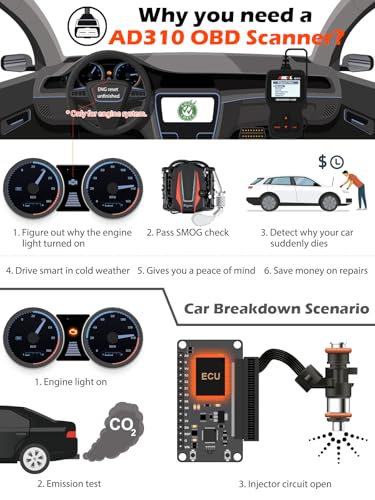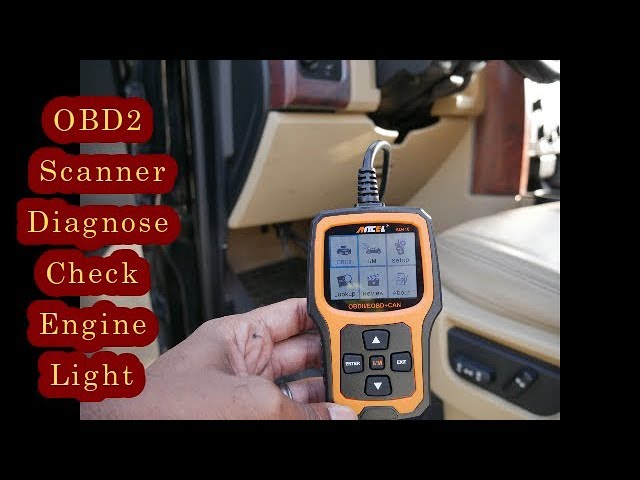
Plug an OBD2 scanner into your car’s diagnostic port, turn the ignition to the “on” position, and read the trouble codes on the device screen to identify issues with your vehicle.
If you’ve ever had that dreaded check engine light pop on out of nowhere, you know the panic that follows. Is it something minor, or are you about to face a huge repair bill? I’ve been there more times than I can count, and honestly, an OBD2 scanner has saved me thousands of dollars over the years. In this guide, I’m going to walk you through everything you need to know about using an OBD2 scanner, from the basics to more advanced tips, so you can feel confident the next time that little light comes on.

What Is an OBD2 Scanner and Why You Need One
An OBD2 scanner, or On-Board Diagnostics II scanner, is a tool that plugs into your car’s computer system to read diagnostic trouble codes, monitor real-time data, and help you understand what’s going on under the hood. Since 1996, every car sold in the United States has been required to have an OBD2 port, which makes this tool universally compatible with most vehicles on the road.
I still remember the first time I used one. My old sedan was idling rough, and the mechanic quoted me $800 for a “possible transmission issue.” I bought a basic scanner for $30, plugged it in, and found out it was just a faulty oxygen sensor that cost me $45 to replace. That’s when I became a true believer in owning your own scanner.
These tools are not just for professional mechanics anymore. With user-friendly apps like Torque, OBD Fusion, and BlueDriver, anyone can diagnose their car’s issues right from their smartphone. Whether you’re a weekend warrior or just someone who wants to avoid getting ripped off at the shop, an OBD2 scanner is a must-have tool.
Types of OBD2 Scanners Available Today
When I first started, I had no idea there were so many different types of scanners. Let me break down the main categories so you can figure out what works best for your situation.
Basic Code Readers
These are the simplest and most affordable options. They read and clear basic diagnostic trouble codes, which is perfect if you just want to know why your check engine light is on. Brands like Autel and Launch make reliable entry-level models that cost between $20 and $60.
Bluetooth and Wi-Fi Adapters
These are my personal favorite for everyday use. They plug into your car’s port and connect wirelessly to your phone or tablet. Paired with an app, they give you a dashboard full of information, including real-time sensor data, fuel economy, and more. Popular picks include the BlueDriver Bluetooth Pro and the Veepeak OBDCheck BLE.
Professional Diagnostic Tools
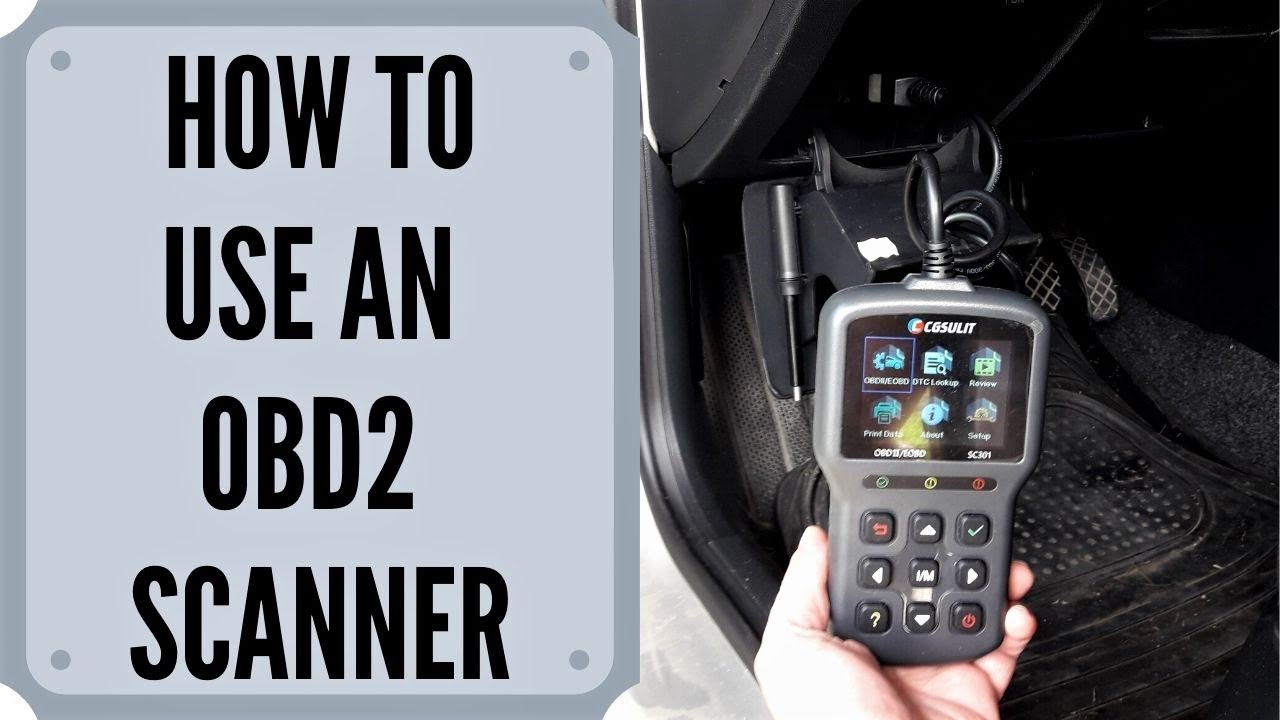
If you’re a serious DIYer or a professional mechanic, you’ll want a handheld scanner with advanced features. These can read manufacturer-specific codes, perform bi-directional controls, and even program new keys. The Autel MaxiSys and Snap-on Solus Edge are top-tier options, though they come with a higher price tag.
Finding the OBD2 Port in Your Vehicle
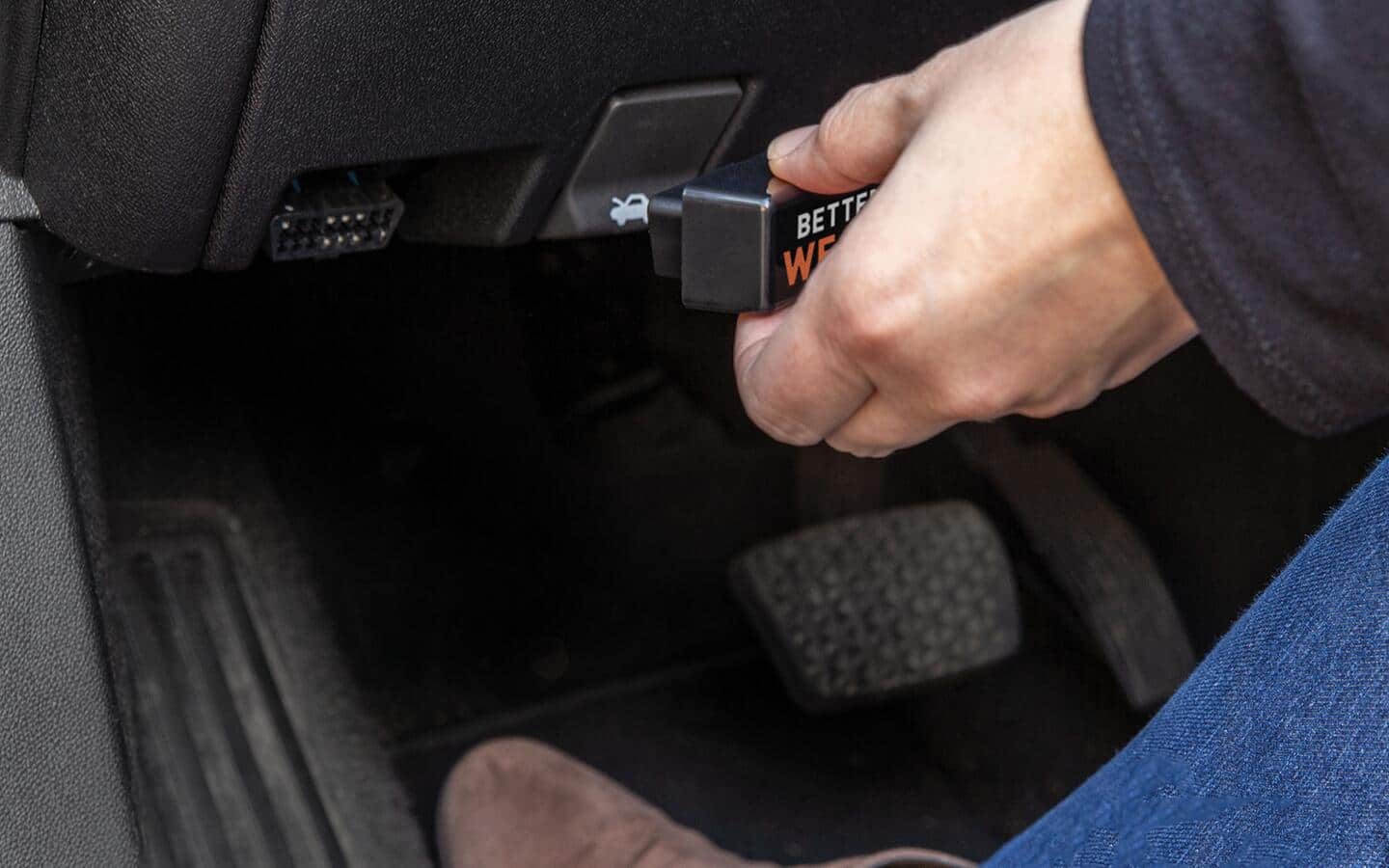
Before you can use a scanner, you need to know where to plug it in. The OBD2 port is usually located within three feet of the steering wheel, and the most common spots are under the dashboard on the driver’s side, near the steering column, or sometimes behind a small cover panel.
I’ve found that in most cars, it’s right under the dash near your left knee when you’re sitting in the driver’s seat. In some vehicles, like certain Fords, it’s hidden behind a small door or panel. If you’re having trouble, your owner’s manual will have the exact location, or you can simply search for your car’s make and model online.
Once you spot it, you’ll see a trapezoidal 16-pin connector. It’s pretty hard to miss once you know what you’re looking for. Just make sure your car is turned off when you first connect the scanner, to avoid any electrical issues.
Step-by-Step Guide on How to Use an OBD2 Scanner
Using an OBD2 scanner might seem intimidating at first, but I promise it’s easier than you think. Let me walk you through the exact process I follow every time.
Step 1: Prepare Your Vehicle and Scanner
Start by parking your car on a level surface and turning off the engine. Make sure you have your scanner ready, whether it’s a handheld device or a Bluetooth adapter. If you’re using an app, download it ahead of time and create an account if needed.
Step 2: Locate and Connect the Scanner
Find the OBD2 port as we discussed above. Plug the scanner firmly into the port until it clicks into place. If you’re using a Bluetooth adapter, the light should start blinking, indicating it’s ready to pair.
Step 3: Turn the Ignition to the “On” Position
You don’t need to start the engine for most scanners. Just turn the key to the “on” position, or press the start button without pressing the brake if you have a push-button start. This powers up your car’s computer system.
Step 4: Pair or Power On Your Device
If you’re using a Bluetooth scanner, go to your phone’s settings and pair the device. Open your OBD2 app and connect to the adapter. For handheld scanners, just press the power button or follow the on-screen prompts.
Step 5: Read the Codes
Once connected, select “Read Codes” or “Diagnose” from the menu. The scanner will communicate with your car’s computer and display any stored trouble codes. These codes are usually a mix of letters and numbers, like P0420 or P0171.
Step 6: Interpret the Results
This is where the magic happens. Take note of the codes and look them up in your scanner’s manual, app, or online. Each code corresponds to a specific issue, like a loose gas cap, faulty catalytic converter, or bad spark plug.
Step 7: Clear the Codes (If Appropriate)
If you’ve fixed the issue or want to see if the light comes back, you can clear the codes. Just select “Erase Codes” or “Clear Codes” on your scanner. Keep in mind that clearing codes won’t fix the underlying problem, and your check engine light will come back if the issue persists.
Step 8: Monitor Real-Time Data
For more advanced scanners, you can view live data streams from your car’s sensors. This includes things like engine RPM, coolant temperature, fuel trim, and oxygen sensor readings. This is incredibly useful for diagnosing intermittent issues that don’t always trigger a code.
Common OBD2 Trouble Codes and What They Mean
After years of using scanners, I’ve seen certain codes pop up more than others. Here are some of the most common ones you’re likely to encounter, and what they actually mean for your car.
P0420 – Catalyst System Efficiency Below Threshold
This code means your catalytic converter isn’t working as efficiently as it should. It could be a bad converter, an oxygen sensor issue, or even an exhaust leak. While not an emergency, it’s something you’ll want to address soon to pass emissions tests.
P0171 – System Too Lean (Bank 1)
This indicates that your engine is getting too much air or not enough fuel. Common causes include a vacuum leak, dirty mass airflow sensor, or weak fuel pump. I’ve fixed this one several times with a simple cleaning of the MAF sensor.
P0300 – Random/Multiple Cylinder Misfire
A misfire code means one or more of your engine cylinders aren’t firing properly. This could be due to bad spark plugs, ignition coils, or fuel injector issues. If you’re experiencing rough idling or poor acceleration, this code is likely the culprit.
P0442 – Evaporative Emission Control System Leak Detected (Small Leak)
Usually, this is just a loose or faulty gas cap. Before you panic, try tightening your gas cap and clearing the code. If it comes back, you might have a larger EVAP system issue.
P0133 – O2 Sensor Circuit Slow Response (Bank 1, Sensor 1)
Your oxygen sensor is sluggish, which can affect fuel economy and emissions. It’s a relatively easy and inexpensive fix, usually costing between $50 and $150 for the part.
Tips for Getting the Most Out of Your OBD2 Scanner
Over the years, I’ve learned a few tricks that have made my scanning sessions much more productive. Here are some practical tips I wish someone had told me when I first started.
Keep a Diagnostic Log
I keep a small notebook in my glove box where I record every code, when it appeared, and what I did to fix it. This has been incredibly helpful for tracking recurring issues and understanding my car’s health over time.
Don’t Clear Codes Right Away
When the check engine light comes on, your car’s computer stores freeze frame data, which is a snapshot of what was happening when the code was triggered. This information is gold for diagnosis, so read and record the data before you clear anything.
Invest in a Quality App
If you’re using a Bluetooth scanner, the app you choose makes a huge difference. I personally use Torque Pro because it offers customizable dashboards, advanced logging, and the ability to view manufacturer-specific data.
Test in Different Conditions
Some issues only show up when the engine is warm, or when you’re driving at certain speeds. If you can, take your car for a drive while monitoring live data to catch intermittent problems.
Check for Software Updates
Just like your phone, OBD2 apps and scanners often receive updates that add new features, improve compatibility, and fix bugs. Make sure you’re running the latest version for the best experience.
Common Mistakes to Avoid When Using an OBD2 Scanner
I’ve made my fair share of mistakes over the years, so let me save you some headaches by sharing the most common pitfalls to avoid.
Ignoring the Code and Just Clearing It
I know it’s tempting to just clear the light and hope the problem goes away, but that’s like putting a band-aid on a broken arm. The code is there for a reason, and ignoring it could lead to more expensive repairs down the road.
Assuming the Code Tells You Exactly What to Replace
OBD2 codes point to a system or circuit that’s having issues, but they don’t always tell you the exact part to replace. For example, a P0420 code could mean you need a new catalytic converter, or it could just be a bad oxygen sensor. Always do further diagnosis before spending money.
Using a Cheap Scanner on a New Car
While basic code readers work fine for most situations, newer cars with advanced systems might require a scanner that can read enhanced or manufacturer-specific codes. If you drive a newer vehicle, invest in a scanner that can handle the complexity.
Not Checking for Multiple Codes
Your car can store multiple codes at once, and they might be related. Always scroll through and read all the codes before you start any repairs. Fixing one code might not solve the problem if there are others lurking in the background.
Advanced Features You Might Not Know About
Once you get comfortable with the basics, you’ll discover that many scanners offer advanced features that can take your diagnostic game to the next level.
Mode 6 Testing
This advanced mode allows you to see the results of your car’s internal self-tests. Even if no codes are present, Mode 6 can show you components that are operating outside their normal range, helping you catch issues before they become major problems.
ABS and Airbag Code Reading
Most basic scanners only read engine codes, but more advanced models can also read codes from your anti-lock brake system and airbag system. This is incredibly useful if you have an ABS or airbag light on.
Battery and Charging System Analysis
Some scanners can monitor your battery voltage and charging system in real-time. This is great for diagnosing parasitic battery drains or alternator issues, especially in older vehicles.
Transmission Diagnostics
Advanced scanners can read transmission codes and monitor transmission fluid temperature, which is super helpful if you’re experiencing shifting issues. This has saved me from a major transmission rebuild on more than one occasion.

How to Choose the Right OBD2 Scanner for Your Needs
With so many options on the market, choosing the right scanner can feel overwhelming. Here’s a simple framework to help you decide.
Consider Your Budget
If you’re just looking to read and clear basic codes, a $20 to $50 code reader will do the job. If you want more advanced features, expect to spend anywhere from $100 to $500 for a mid-range scanner. Professional-grade tools can cost over $1,000, but they offer dealership-level capabilities.
Think About Your Vehicle
Check your car’s compatibility before buying. Most scanners work with cars made after 1996, but some features might be limited depending on your make and model. If you drive a European car, look for a scanner that supports those specific protocols.
Decide Between Handheld and App-Based
Handheld scanners are great if you want a dedicated device with a screen. App-based scanners are more versatile because you can use your phone or tablet, and they often have more features thanks to software updates. I personally prefer app-based scanners because I always have my phone with me.
Look for Free Updates
Some manufacturers charge for software updates, while others offer them for free. Choose a scanner with free updates to ensure you’re always covered as new cars and protocols are released.
Maintaining Your OBD2 Scanner for Longevity
A good scanner can last for years if you take care of it properly. Here are some simple maintenance tips to keep yours in top shape.
Store your scanner in a cool, dry place when not in use. Avoid leaving it in your car during extreme temperatures, as heat and cold can damage the electronics. Keep the connector clean by occasionally wiping it with a dry cloth, and make sure your app and firmware are always up to date.
If you’re using a Bluetooth adapter, unplug it when you’re not driving to prevent unnecessary battery drain. I know it’s tempting to leave it plugged in all the time, but removing it when not in use can extend the life of both the adapter and your car’s port.
Frequently Asked Questions About Using an OBD2 Scanner
Do OBD2 scanners work on all cars?
OBD2 scanners work on all cars and light trucks sold in the United States from 1996 onward, and in other countries from around 2001 or later. However, some advanced features might be limited depending on your vehicle’s make and model.
Can using an OBD2 scanner damage my car?
No, using an OBD2 scanner is completely safe for your vehicle. These tools are designed to read data from your car’s computer without causing any damage. Just make sure you’re using a quality scanner and following the instructions properly.
Will an OBD2 scanner tell me exactly what’s wrong with my car?
OBD2 scanners provide trouble codes that point to specific systems or circuits having issues, but they don’t always tell you the exact part that needs to be replaced. You’ll often need to do further diagnosis or research to pinpoint the exact problem.
How often should I use my OBD2 scanner?
You don’t need to use it regularly unless you’re experiencing issues. However, scanning your car every few months can help you catch potential problems early, before they turn into expensive repairs. I usually scan mine whenever I’m doing routine maintenance.
Can I leave my OBD2 scanner plugged in all the time?
It’s generally safe to leave a scanner plugged in, but it’s better to unplug it when not in use to avoid potential battery drain, especially in older vehicles. Most modern cars have systems that put the OBD port to sleep when the car is off, so it’s not a major concern.
Conclusion
Learning how to use an OBD2 scanner is one of the best skills you can develop as a car owner. Not only does it save you money by helping you diagnose issues yourself, but it also gives you peace of mind knowing exactly what’s going on with your vehicle. From basic code readers to advanced professional tools, there’s an option out there for every budget and need.
Start with a simple scanner if you’re new to this, and as you get more comfortable, you can upgrade to more advanced models. Remember to keep records of your scans, always investigate before clearing codes, and don’t be afraid to dig deeper into your car’s systems. The more you learn, the more confident you’ll become behind the wheel.
If you found this guide helpful, drop a comment below with your favorite OBD2 scanner or any tips you’ve learned along the way. And if you’re ready to take your car maintenance to the next level, check out our other articles on DIY auto repair and vehicle diagnostics. Happy scanning!