Ever had that nagging feeling, "What if something happens to my car when I'm not around?" Maybe you've seen a weird dent, or someone cut you off and then drove off. That's exactly why so many drivers are asking: what is parking mode dash cam? It’s about giving you a digital witness when you can't be there yourself.
Think of it like this: your dash cam is usually recording whenever you're driving. But once you turn your car off, most basic dash cams just go to sleep. Parking mode is essentially waking them up so they can keep an eye on things while your car is parked. Manufacturer specifications confirm that many modern dash cams offer this feature, often by using a built-in accelerometer to detect motion, similar to how your smartphone detects movement.
Why You Might Want Your Dash Cam to Keep Watch When Parked
Honestly, it's all about peace of mind. Life happens. People bump into cars in parking lots, doors get dinged, or maybe you just want to catch that elusive parking spot hog. Parking mode gives you a digital witness when you can't be there yourself, capturing crucial moments.
It can be a lifesaver for those frustrating hit-and-run incidents or documenting intentional vandalism.
It can be a lifesaver for:
- Hit-and-runs: Catching that vehicle that sideswiped you and took off.
- Vandalism: Documenting who might be keying your car or doing other intentional damage.
- Parking lot mishaps: Getting footage of someone dinging your door or scraping your bumper.
- Even just curious squirrels: Hey, you never know what you might capture!
How Dash Cam Parking Mode Actually Works
This is where it gets a little interesting, because not all parking modes operate the same way. Generally, it boils down to how the dash cam detects an event to start recording.
Impact Detection vs. Continuous Recording
The most common method is Impact Detection, often triggered by a G-Sensor (which stands for gravity sensor, but really detects acceleration and impact). The dash cam is essentially in a low-power standby mode. When its built-in motion sensors or G-sensor pick up something significant happening around the car, like a bump, jolt, or movement, it instantly wakes up and starts recording. This is quite efficient and doesn't demand a lot of power.
Some higher-end dash cams also offer Continuous Recording in parking mode. This means the camera records events as they happen, 24/7, even when the engine is off. This obviously uses more power, which is a key consideration you'll want to address.
Key Features to Look For in Parking Mode Dash Cams
So, you're thinking about getting a dash cam with parking mode? Awesome! Here’s what you want to keep an eye on to make sure it fits your needs.
- Type of Parking Mode: As we discussed, does it rely on motion/G-sensors for an event, or can it record continuously? For most drivers, sensor-based activation is perfectly adequate and more power-efficient.
- Recording Quality: You want crisp footage that actually shows details like license plates. Look for good resolution; 1080p (full HD) is a good starting point for clear, usable video.
- Field of View (FOV): How wide an area can the camera see? A wider FOV, often measured in degrees, is generally better for capturing more of the surrounding environment, increasing the chance of capturing an incident.
- Storage Capacity: How much microSD card does the dash cam support? Parking mode can generate a significant amount of footage, especially if it's frequently triggered. Check the maximum supported card size (e.g., up to 256GB or more).
Image source: Pexels / Velroy Fernandes (Pexels License)
The Big Catch: How to Avoid Draining Your Car Battery
This is probably the most important thing to consider when using parking mode. Running a dash cam constantly, especially if it's recording, does use power. Your car’s battery isn't designed to run electronics indefinitely when the engine's off, it’s built to start the engine. If you're not careful, you can easily find yourself with a dead battery.
Using a Hardwiring Kit with Voltage Cutoff
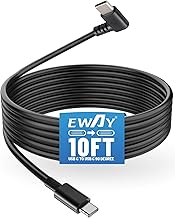
This is the most recommended method for keeping your dash cam powered and your car’s battery safe. A special hardwiring kit connects your dash cam directly to your car's fuse box. Crucially, good kits have a built-in voltage cutoff. This means if your car's battery level drops too low, the kit will automatically shut off the dash cam.
This prevents it from draining your battery completely, leaving you stranded. Think of it as a smart power manager for your dash cam.
Image source: Pexels / Ingo Joseph (Pexels License)
Considering a Dedicated Battery Pack
Some drivers opt for a dedicated dash cam battery pack, also known as a power bank. This is essentially a separate battery that charges up while you're driving (often taking a few hours for a full charge). It then powers the dash cam when the engine is off, completely bypassing your car's battery. This is a great option if you have concerns about tapping into your car's electrical system directly or if you want extended parking mode recording without worrying about battery drain.
Common Problems and Mistakes with Dash Cam Parking Mode
While parking mode is incredibly useful, it’s not foolproof, and there are a few common issues and mistakes drivers run into. Being aware of them can save you a lot of headaches.
- Battery Drain: This is the number one problem. If your dash cam isn't properly equipped with a voltage cutoff feature, or if you're using a simple plug-in adapter without one, you risk completely draining your car's battery. This can leave you stranded and facing an expensive tow or jump start.
- False Detections: Sometimes, environmental factors or minor vibrations can trigger the motion or impact sensors, leading the dash cam to record insignificant events. This can fill up your memory card unnecessarily and might even miss a real event if the system is busy with false alarms.
- Inadequate Storage: Parking mode can generate a lot of video clips, especially if it's frequently triggered. If your microSD card is too small or not fast enough, it can fill up quickly or fail to record events properly.
Image source: Wikimedia Commons / George (CC BY-SA)
- Incorrect Installation: Improperly connecting a hardwiring kit can not only lead to battery issues but can also potentially cause electrical problems in your vehicle. It's vital to follow instructions carefully or have it professionally installed.
- Forgetting to Activate: Some dash cams require you to manually enable parking mode after turning off the engine. Forgetting this simple step means your camera won't be watching anything, defeating the purpose.
Who Needs Dash Cam Parking Mode the Most?
So, is parking mode something you absolutely need, or is it just a fancy extra? Our research indicates it's particularly beneficial for drivers who often park in busy areas, face parking headaches, or simply want an extra layer of security for their vehicle. If you park on a street overnight, in a crowded public lot regularly, or have a vehicle you want to keep a close eye on, this feature offers significant value.
Think about it: if your car is parked outside your home overnight, or sits in a public garage during your workday, it's exposed to more potential incidents. For those who own newer, more expensive vehicles, the protection offered by parking mode can be reassuring. Even for older cars, preventing a hit-and-run that goes undocumented can save you hassle and potential costs.
Real-Life Scenarios: When Parking Mode Saves the Day
Imagine this: you're at the grocery store, and when you return, there's a new dent on your passenger door. You didn't see anyone do it, and there’s no note. Without parking mode, you're left to deal with the repair yourself or hope insurance covers it. With parking mode active, your dash cam might have captured the license plate and description of the offending vehicle.
Another common scenario involves minor fender benders in parking lots at night. A driver might misjudge distances while backing up, nudge your car, and drive off without a word. If your dash cam's parking mode is active, it can record the impact and the vehicle that caused it, providing you with valuable evidence to file a claim or identify the responsible party.
Here are a few more situations where parking mode proves its worth:
- Public Parking Garages: Constantly busy and often poorly lit, these are prime spots for accidental damage or vandalism.
- Street Parking: If you regularly park on busy streets, your vehicle is exposed to passing traffic, pedestrians, and potential mischief.
- New Vehicle Owners: For those with a new car, the added security of parking mode helps protect their investment from unexpected damage.
- Fleet Vehicles: Businesses utilizing fleets can benefit from understanding how their vehicles are treated in parking situations, aiding in driver training and accountability.
Setting Up Your Dash Cam for Parking Mode
Getting your dash cam ready for parking mode usually involves a few key steps, and how you power it is paramount. If your dash cam supports and requires hardwiring for parking mode, the first step is often connecting it to your car's fuse box. This typically involves identifying a suitable accessory fuse that only receives power when the ignition is on, and another that remains powered constantly (for parking mode).
Next, you'll need to run the power cable neatly from the fuse box to your dash cam's mounting location. Many kits provide clips or ties to help secure the wiring, keeping it out of sight and away from moving parts like pedals or steering wheels. This process can take anywhere from 30 minutes to over an hour, depending on your vehicle's layout and your comfort level with automotive wiring.
Here's a general rundown of the setup:
- Choose Your Power Method: Decide between a hardwiring kit with voltage cutoff or a dedicated battery pack.
- Locate a Suitable Fuse: Identify an ignition-switched fuse and a constant power fuse in your vehicle's fuse box.
- Connect the Hardwire Kit: Attach the appropriate wires from the kit to the correct fuse taps.
- Route the Cables: Carefully run the power cable from the fuse box to your dash cam, tucking it under trim panels for a clean look.
- Mount the Dash Cam: Securely attach the dash cam in its desired viewing position, typically on the windshield.
- Configure Settings: Access your dash cam's menu and enable parking mode, setting sensitivity for motion or impact detection if applicable.
For those opting for a battery pack, the setup is usually simpler, often involving just plugging the dash cam into the pack and ensuring the pack itself is charging when you're driving.
Making the Right Choice: Dashboard Cameras with Effective Parking Mode
When you're looking to buy a dash cam with parking mode, it's important to remember that not all features are created equal. The effectiveness of parking mode often hinges on how well it manages power and how reliably it detects events. As of 2026, many manufacturers are improving their power management systems, offering more intelligent ways to keep your camera recording without draining your vehicle's battery.
Consider the following when comparing options:
- Power Consumption: Different models have varying power draw. Check manufacturer specs for estimated battery life or power usage during parking mode.
- Trigger Sensitivity: Can you adjust how sensitive the motion or impact detection is? This helps reduce false alerts.
- Ease of Use: Is the parking mode easy to enable and disable, or does it operate automatically and reliably?
- Video Quality in Low Light: Parking mode often operates in dim or dark conditions. Look for cameras with good low-light performance or infrared (IR) capabilities for clearer night footage.
Ultimately, the best camera for you will depend on your specific needs, your vehicle, and how you plan to use the parking mode feature.